Ad Serving: How Ad Servers Work, Their Components, and Their Role in Online Advertising
Since the beginning of online advertising over two decades ago, a number of technologies have emerged to solve the problems advertisers and publishers face and to improve the media-buying and selling process overall.
While platforms like demand-side platforms (DSPs), supply-side platforms (SSPs), and ad exchanges helped shape the ecosystem, one early piece of AdTech remains just as relevant today — the ad server.
Ad servers have constantly evolved to meet the demands of both sides of the market and adapt to a rapidly changing field. As a result, many of their core functionalities — targeting, budget control, frequency capping — now appear in newer platforms such as DSPs and SSPs as well.
This guide covers one of the most fundamental technology platforms in online display advertising: what ad servers are, how they work, and what makes them a critical component of the modern ad-delivery stack.
What Is an Ad Server?
An ad server is an AdTech platform responsible for making decisions about what ads to show, serving those ads, and collecting and reporting data on impressions, clicks, and related events.
To put the role of an ad server in context:
Ad servers are to ads (creatives) what WordPress is to content (articles).
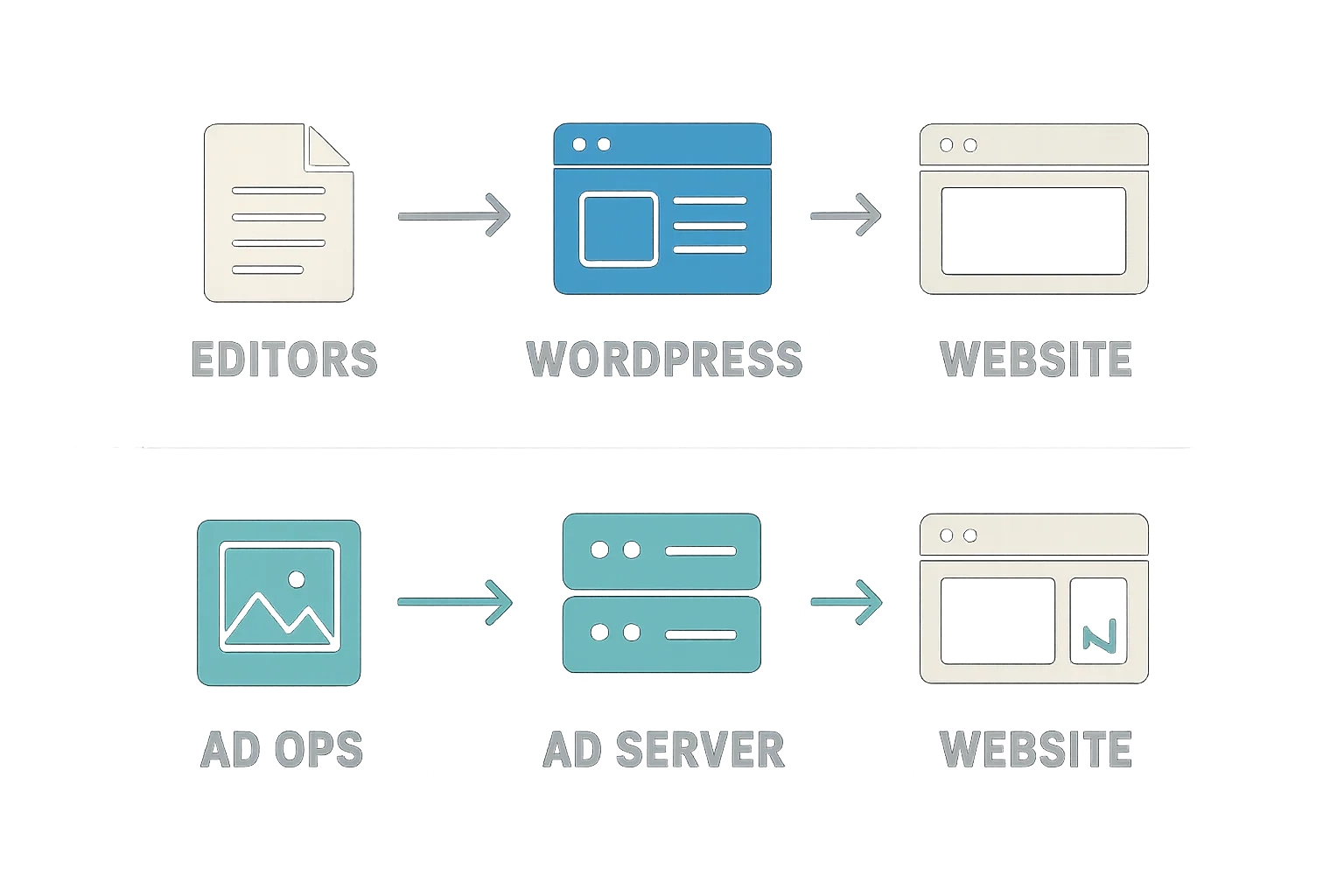
Just as WordPress manages a website's editorial content, ad servers manage and display advertising on a website.
Publishers, advertisers, and ad agencies use ad servers to run multiple campaigns simultaneously, often by connecting to other AdTech platforms such as DSPs and SSPs.
Campaign Execution: Then and Now
The way online ads are bought, sold, and delivered has changed considerably over the past two decades. What hasn't changed is the central role that ad servers play in that process.
The illustration below captures how ad serving looked in the late 1990s to early 2000s, and how ad servers emerged from that environment.
In the early days of online advertising, executing a campaign was a manual process involving direct communication between the advertiser and publisher — no automation, no centralized reporting.
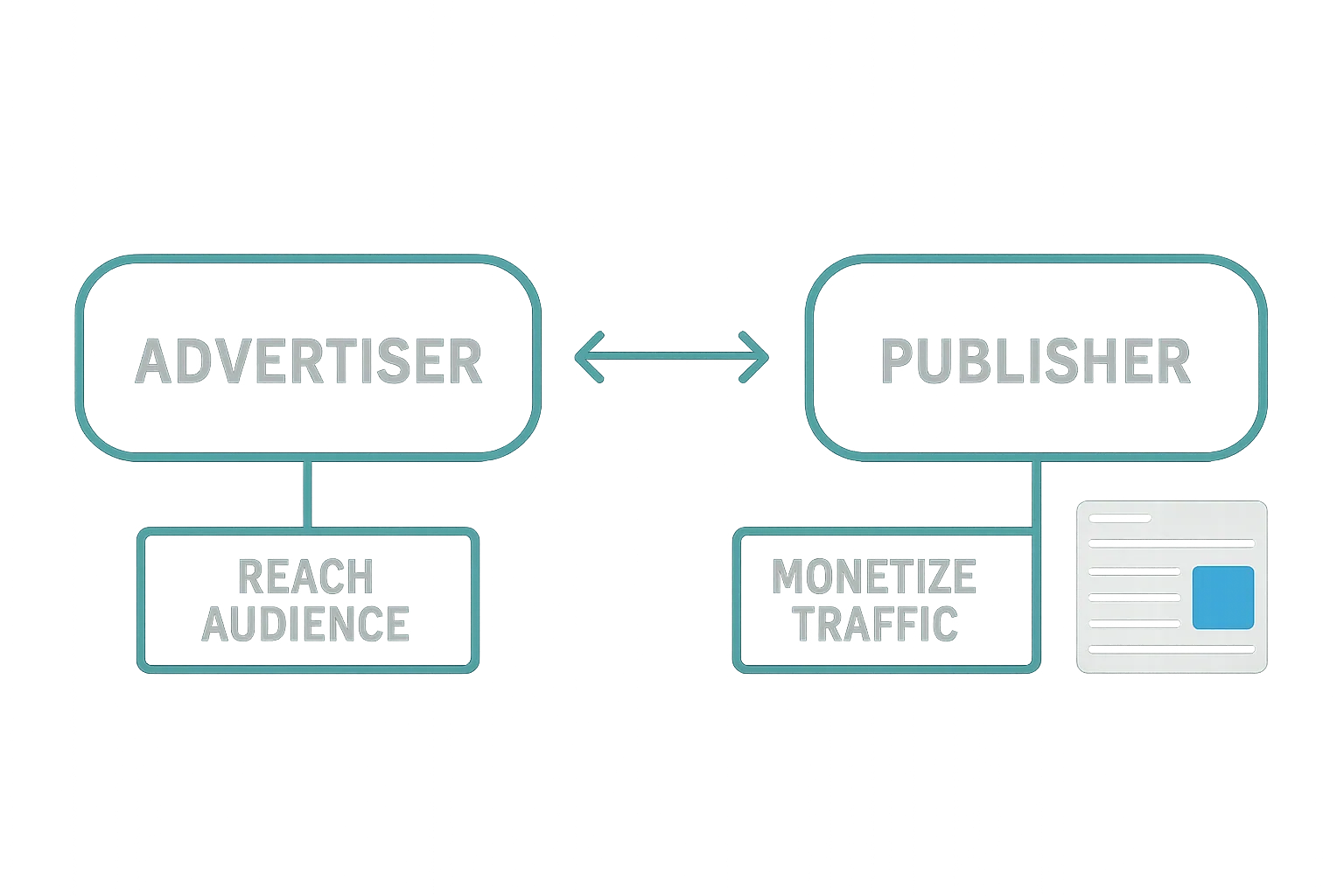
Publisher ad servers were then introduced to help publishers run and report on advertisers' campaigns.
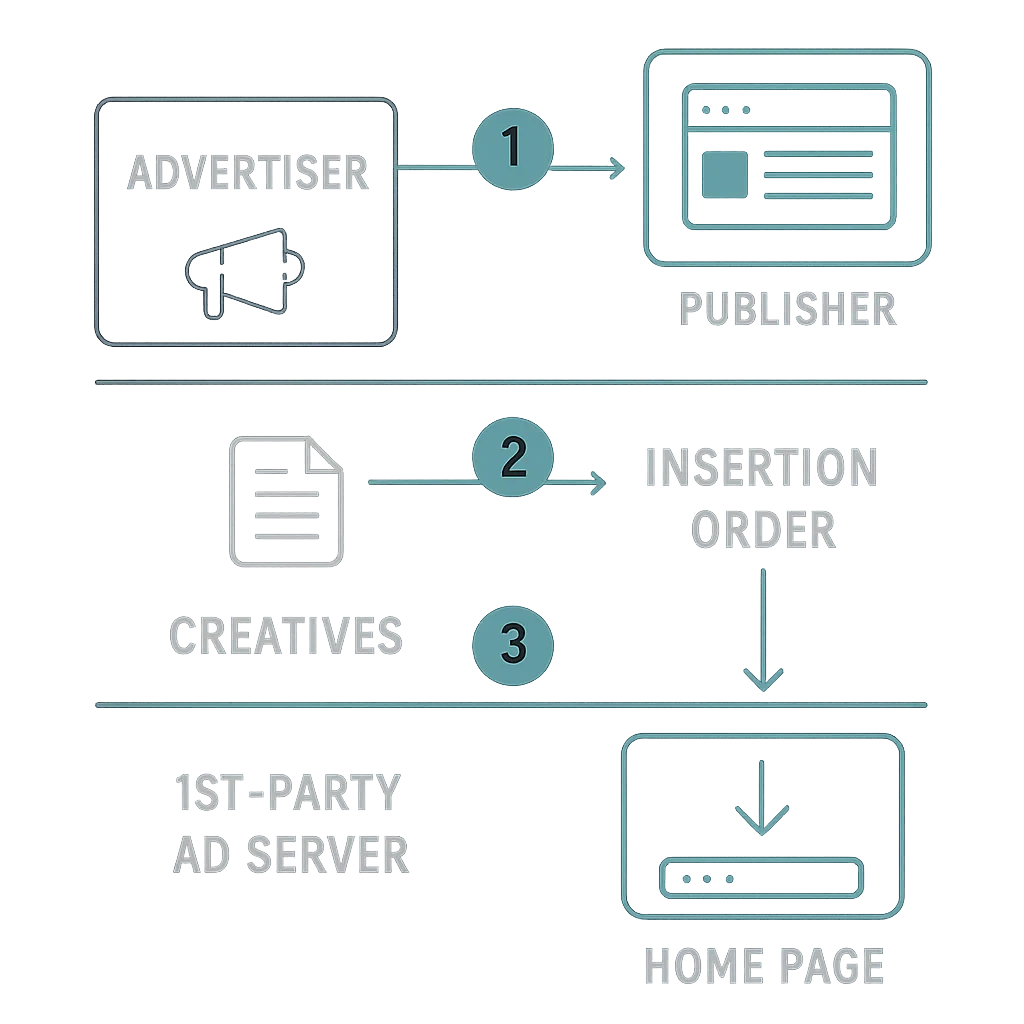
The basic flow looked like this:
- The advertiser and publisher sign an insertion order (IO) — a document (typically a contract) outlining the terms of the campaign, including flight dates (start and end dates), placement, ad format and size, pricing model (e.g. CPM or CPC), and related details.
- The advertiser submits a list of creatives, usually in a spreadsheet.
- The publisher's AdOps team sets up the campaign in the ad server.
- Once the campaign is live, the advertiser receives ongoing performance reports from the publisher covering impressions, clicks, and similar metrics.
Ad Trafficking vs. AdOps: A Quick Distinction
The terms ad trafficking and AdOps are often used interchangeably, but they refer to different things:
- Ad trafficking is the process of setting up, monitoring, and optimizing campaigns conducted through ad servers and other AdTech platforms.
- AdOps refers to the people who carry out that process.
In short: AdOps is the team; ad trafficking is the work they do.
First-Party (Publisher) Ad Servers
A publisher's ad server is responsible for filling the ad slots on a website by matching ads from direct campaigns, real-time bidding (RTB) auctions, and other media-buying processes.
It makes decisions about which ads to display based on the targeting parameters of campaigns set up by advertisers, serves those ads, and reports on their performance.
Inventory forecasting is another key feature: first-party ad servers predict how much inventory a publisher will have available in the future and model campaign performance based on current and historical data.
Third-Party (Advertiser) Ad Servers
As the online advertising market expanded, advertisers began running campaigns across multiple publishers and ad networks simultaneously. This introduced new challenges:
- Limited reach from any single campaign.
- No unified way to measure performance across different publishers.
- No independent mechanism to verify the numbers publishers reported.
The booming ad industry was also attracting untrustworthy publishers and ad networks, and advertisers found they could no longer fully rely on publisher-generated reports.
To address this, advertisers adopted independent ad servers — known as third-party ad servers — to gain their own view of campaign performance.
A third-party ad server allows advertisers to:
- Track the performance (impressions, clicks, conversions, etc.) of an entire campaign across all publishers in a single system.
- Measure campaign reach while accounting for co-viewership across publishers.
- Verify the numbers reported by publishers.
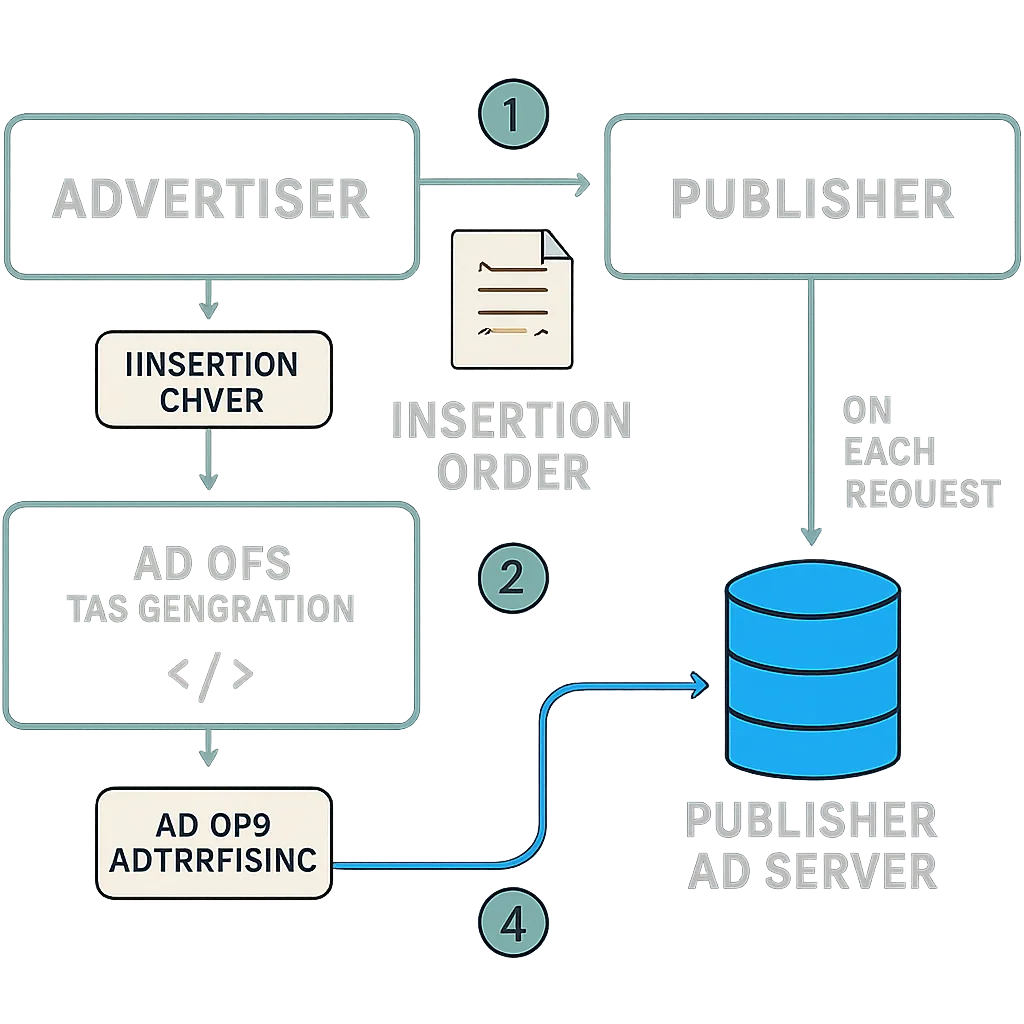
The brand and publisher relationship with first and third-party server
How an Ad Server Works
Now that the role of an ad server is established, it's worth looking at the underlying mechanics.
First, how a publisher's ad server works in isolation:
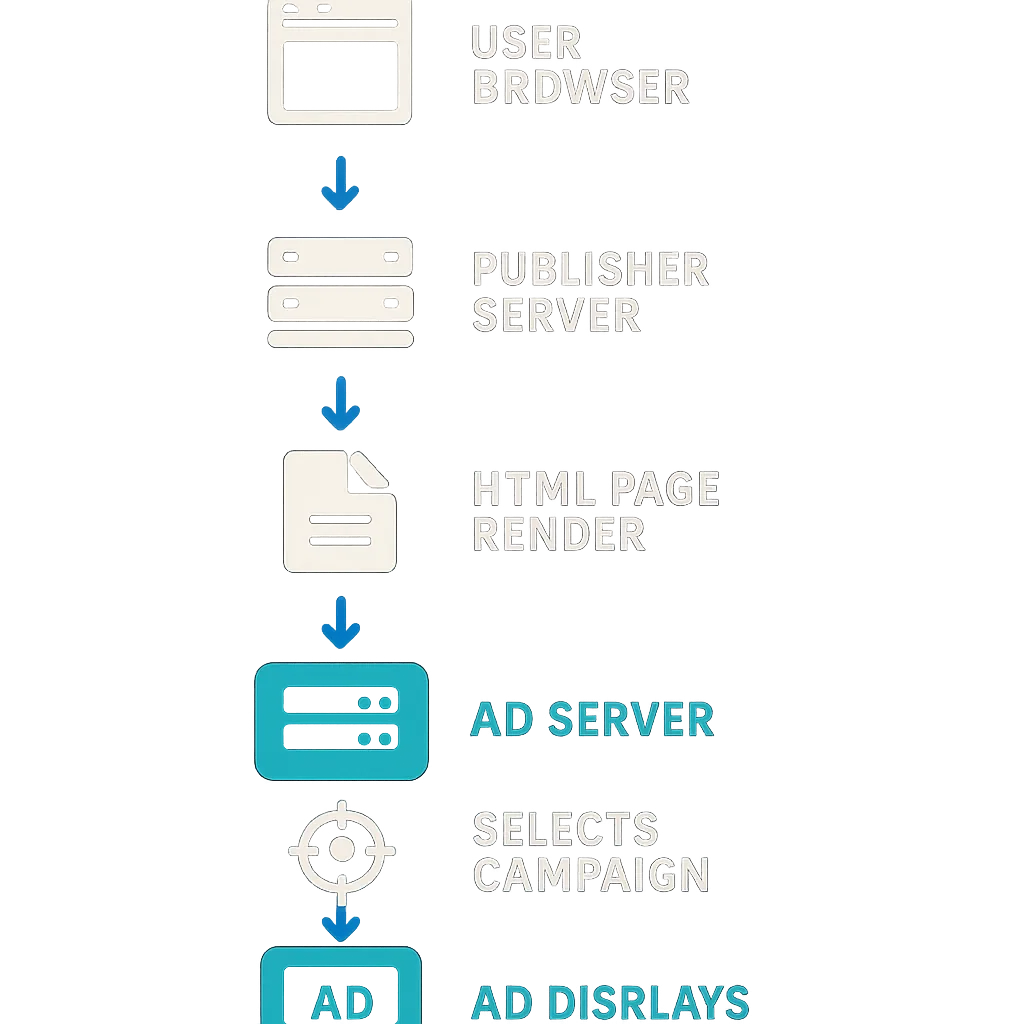
And next, how the process works when both a publisher's ad server and an advertiser's ad server are involved:
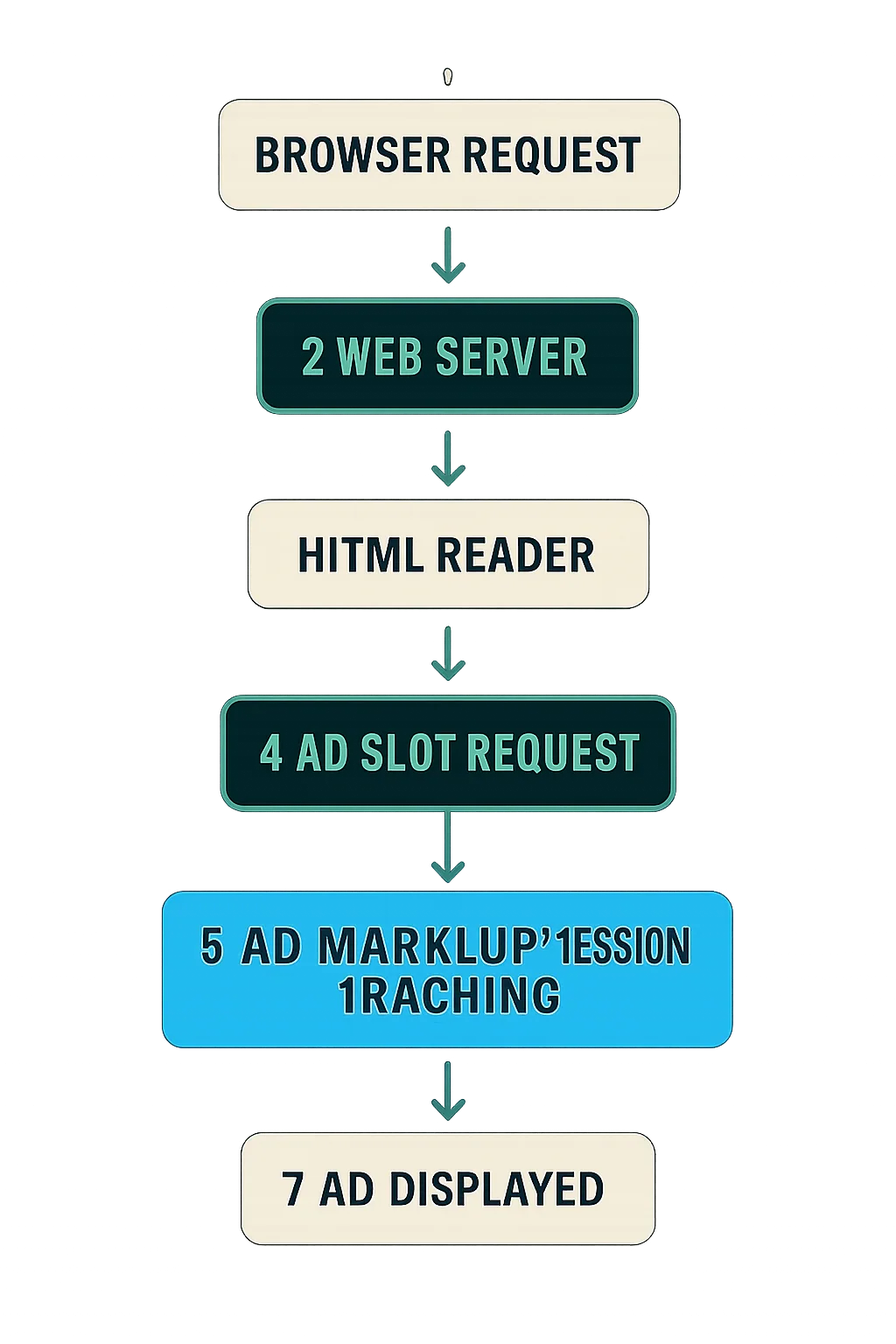
First-Party vs. Third-Party Ad Servers: A Comparison
While first-party and third-party ad servers are fundamentally the same type of technology, they serve different purposes depending on which side of the market they're on.
| First-Party Ad Server | Third-Party Ad Server |
|---|---|
| Allows AdOps to manage ad slots on the website, run multiple direct campaigns (i.e. direct deals between the publisher and advertiser), and manage third-party tags from other ad servers or platforms such as SSPs. | Tracks campaign performance across all sites involved in a campaign (e.g. reach, impressions, clicks, conversions), calculates ROI, and attributes conversions to the right publishers. |
| Helps publishers manage and predict inventory fill rates across many advertisers, provides reporting for billing, and tracks earnings and actual fill rates. Also identifies the efficiency of third-party demand sources (e.g. RTB) and direct deals, helping publishers prioritize which sources to assign inventory to. | Helps advertisers optimize future media buys based on past data, identifies which sites and targeting criteria performed well, and runs A/B tests to determine which creatives deliver the best results. |
| Allows publishers to forecast inventory volume matching specific targeting criteria — for example, how much traffic they receive from a particular state on a given placement — so the sales team can offer accurate quantities on insertion orders. | Allows advertisers to audit and verify performance metrics for billing purposes. |
How Ad Serving Works Technically
The diagrams below walk through the technical mechanics of ad serving in two scenarios.
The first shows ad serving with only a publisher's ad server in play:
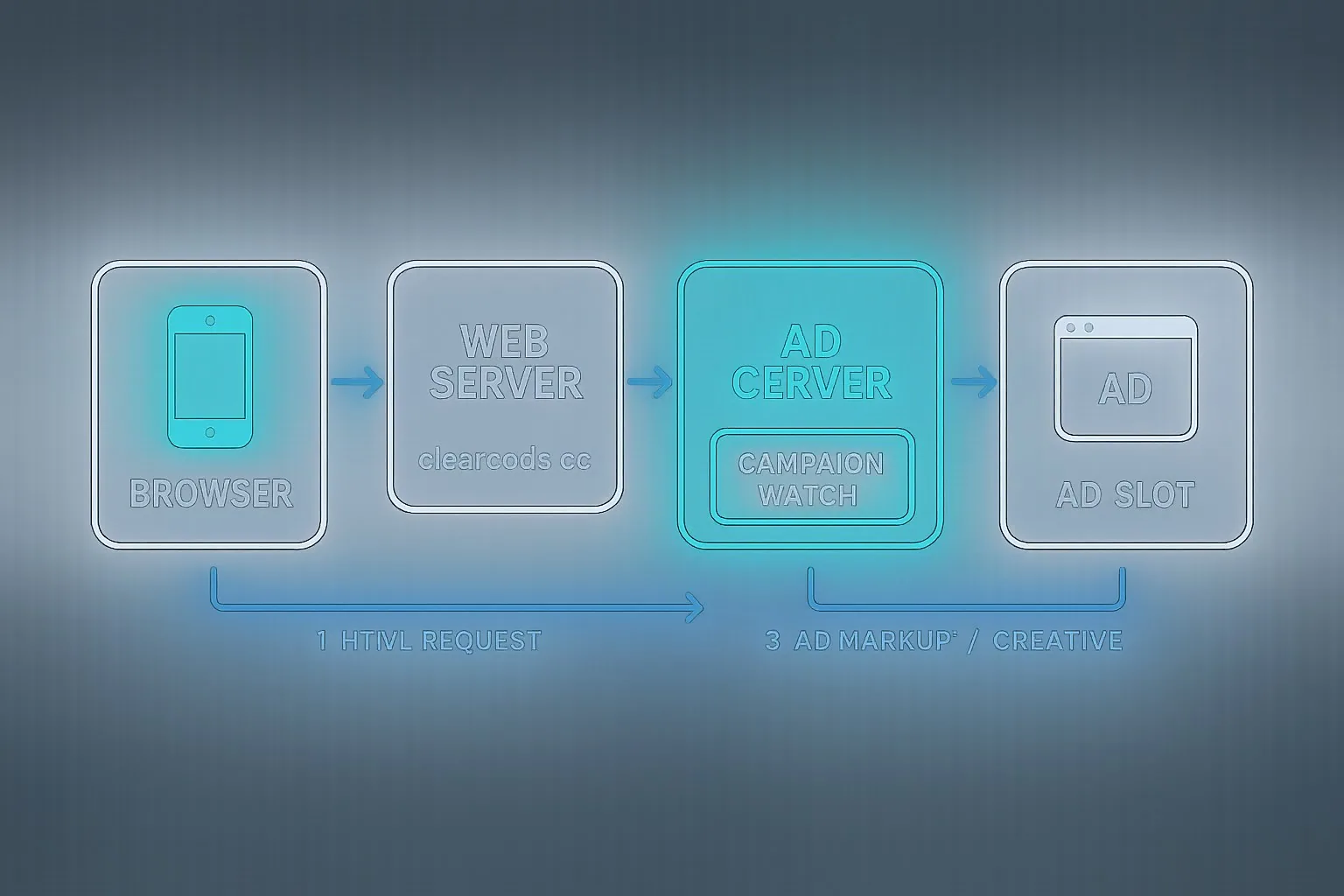
The second shows the full flow when both a publisher's and an advertiser's ad server are involved:
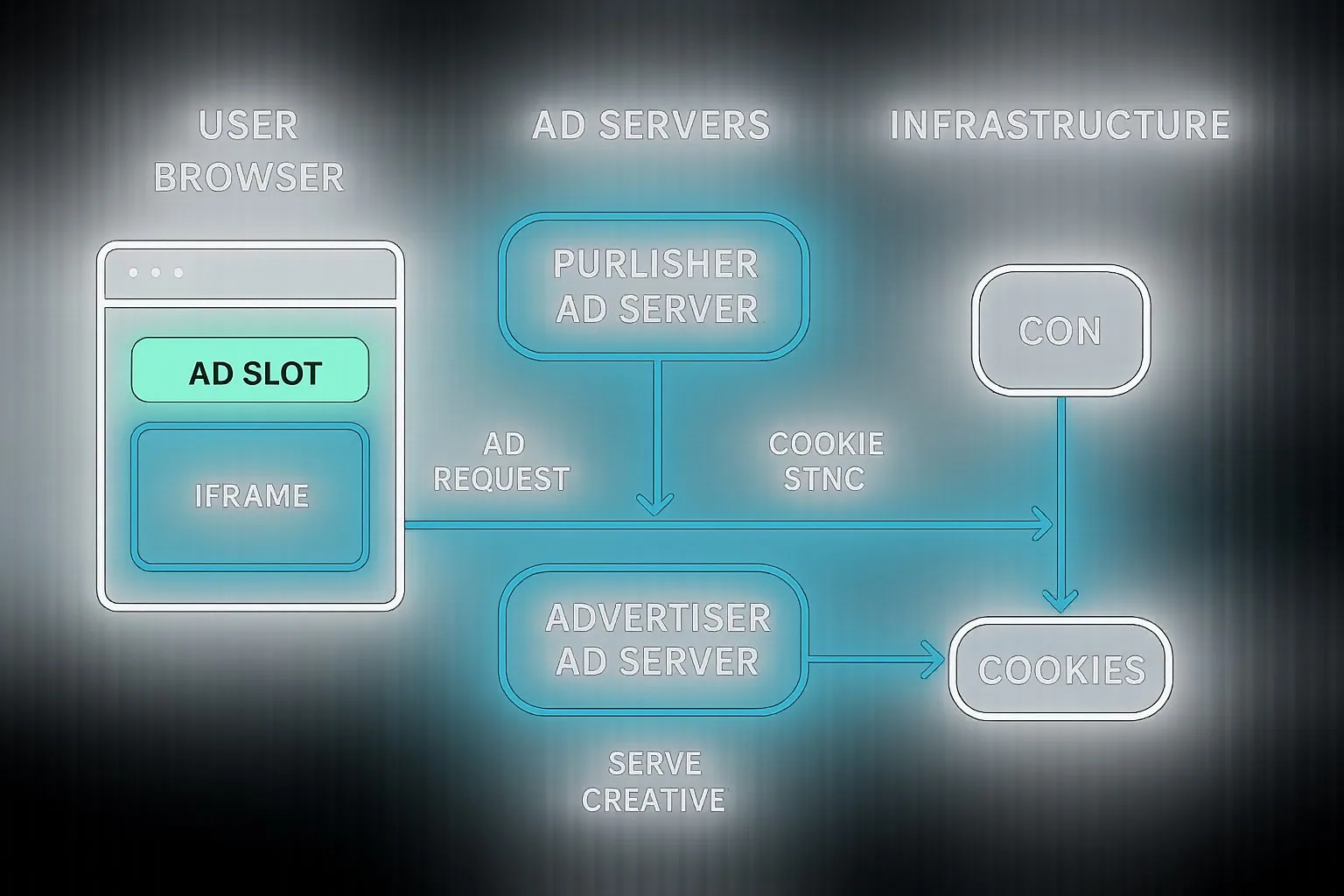
The Anatomy of an Ad Server
The following sections break down the core components of an ad server, including the ad tag types referenced in the diagrams above.
Ad Tags
An ad tag is a piece of code inserted into an ad slot in order to display an ad. There are several types of ad tags, each with different implementation approaches, advantages, and trade-offs.
JavaScript Ad Tags
Usage: Rendering display ads on web pages via desktop or mobile browser. JavaScript ad tags are also used for display ads in mobile apps, though those implementations typically use custom tags or Mobile Rich Media Ad Interface Definition (MRAID).
Implementation: JavaScript ad tags are placed directly in the publisher's page code.
Advantages:
- Ads can interact with the publisher's website.
- Viewability can be tracked.
- Ads can be loaded at the same time as page content or after it, depending on implementation.
Disadvantages:
- Ads can alter the publisher's website content, potentially breaking functionality.
- Ads can introduce security risks — malicious code delivered via a JavaScript tag can install malware capable of capturing sensitive form data such as usernames, passwords, and email addresses. A well-known example is the Magecart attack, in which credit-card details from an estimated 380,000 customers were stolen from Newegg and British Airways via JavaScript injection.
<script type="text/javascript"><!--
google_ad_client = "pub-215425987452";
google_ad_slot = "89757654265";
google_ad_width = 250;
google_ad_height = 250;
//-->
</script>
<script type="text/javascript"
src="http://pagead2.googlesyndication.com/pagead/show_ads.js">
</script>
Iframe Ad Tags
Usage: Rendering display ads on web pages via desktop or mobile browser.
Implementation: Iframe ad tags are HTML tags added to a publisher's page code. The iframe completely isolates the code loaded within it, preventing it from interacting with the rest of the page content.
Advantages:
- Protects the publisher against ad code that could alter website content.
- Increases security by containing JavaScript inside the iframe so it cannot interact with page elements.
- Ads load after the page content, which can improve initial page load time.
Disadvantages:
- Limited interaction with the publisher's website — expanding ads, for example, require additional JavaScript on the publisher's side.
- Cannot reliably track ad viewability.
Here's an example of an iframe ad tag from OpenX:
<iframe id='a62ae7d3' name='a62ae7d3'
src='http://delivery_server_domain/w/1.0/afr?auid=8635&cb=INSERT_RANDOM_NUMBER_HERE&rd=5&rm=3"
frameborder='0' scrolling='no' width='728' height='90'>
<a href='http://delivery_server_domain/w/1.0/rc?cs=acd22faf&cb=INSERT_RANDOM_NUMBER_HERE" target='_blank'>
<img src='http://delivery_server_domain/w/1.0/ai?uid=8635&cs=acd22faf&cb=INSERT_RANDOM_NUMBER_HERE"
border='0' alt='' /></a></iframe>
SafeFrame
To address the limitations of both JavaScript and iframe ad tags, the IAB introduced a new standard: SafeFrame.
SafeFrame is an Interactive Advertising Bureau (IAB) standard that combines the advantages of iframe and JavaScript tags while eliminating many of their respective drawbacks.
SafeFrame ad slots are implemented in JavaScript with an API that loads ads inside iframes, but allows those ads to interact with the API — for example, to expand content or track viewability. At the same time, it protects the publisher's site from unwanted modifications and prevents the collection of sensitive visitor information.
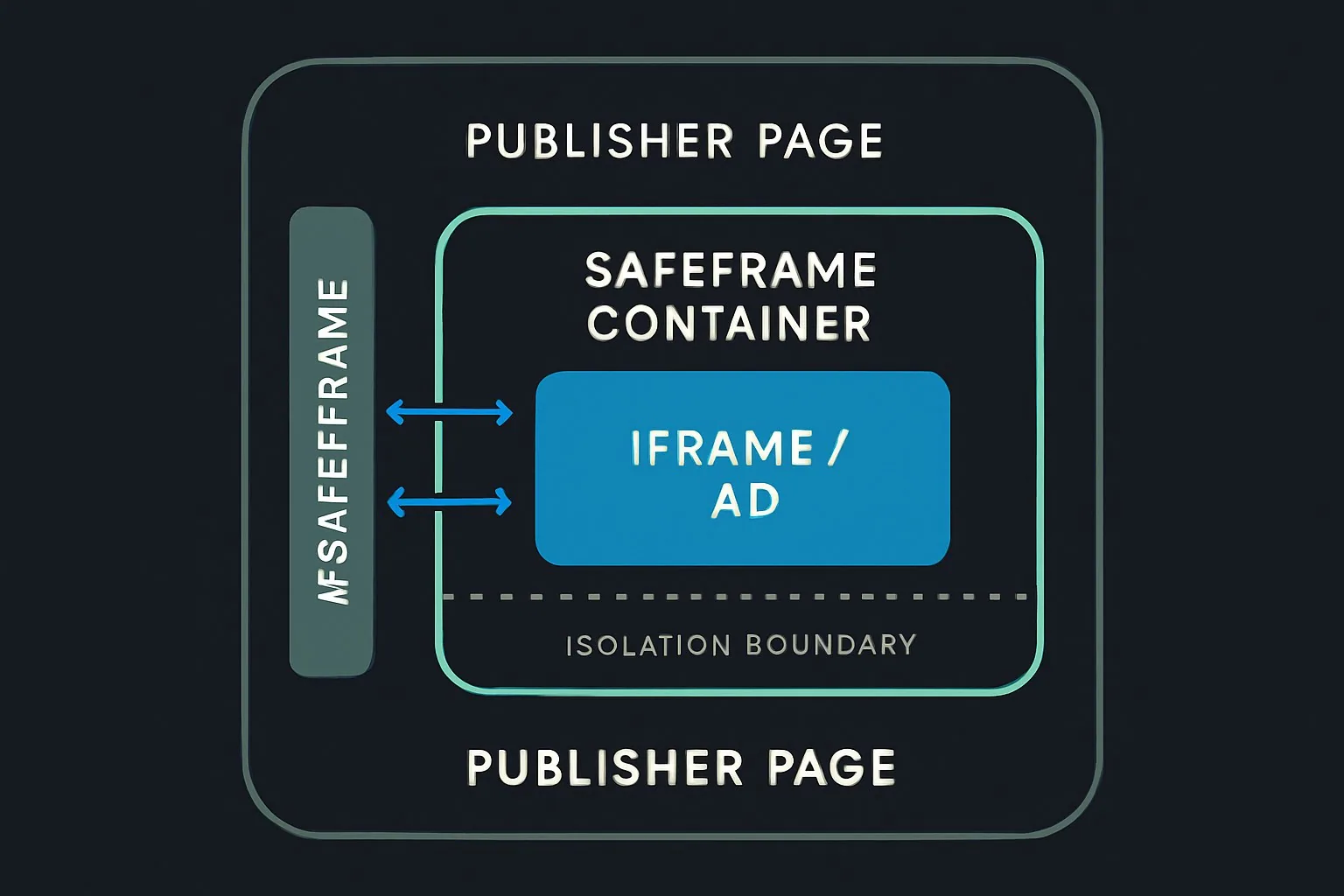
Here's how SafeFrame works in practice:
- The user loads the publisher's website and the browser requests both content and SafeFrame ad markup from the web server.
- SafeFrame (JavaScript) loads an iframe with the SafeFrame API, enabling controlled interaction with the publisher's site.
- The ad is rendered and displayed to the user.
- Simultaneously, viewability and measurement vendors collect data for advertiser reporting.
It's worth noting that the ad inside the iframe remains isolated — third-party ad servers can execute any JavaScript within the iframe, but that code cannot affect the publisher's website. Only specific interactions defined by the SafeFrame API are permitted, such as viewability data collection and creative expansion.
VAST and VPAID (Video Ad Serving)
For video advertising, two IAB standards govern how ads are served and how players interact with those ads:
VAST (Video Ad Serving Template) is an XML schema developed by the IAB. It enables in-stream video ads — ads displayed within a video player, such as on YouTube — to be served from video ad servers and played across video players on multiple publisher sites and device types (desktop, mobile, tablet, etc.).
VPAID (Video Player Ad-Serving Interface Definition) is a piece of JavaScript that enables video ad units and video players to interact with one another.
IMG Ad Tags
IMG ad tags are HTML tags, structurally similar to iframe tags.
Usage: Primarily used to display ads in mobile apps and in the <noscript> section of other ad tag types, where they serve as fallbacks when a browser does not support or execute JavaScript.
Implementation: Most AdTech platforms and publishers accept only HTML/IMG snippets — not full HTML documents (i.e. no <html>, <head>, or <title> tags).
Example of an HTML/IMG ad tag:
<a href="https://www.example-advertiser.com/"> <img src="http://example-ad-250x250.jpg"> </a>
Advantages:
- Simple structure makes them renderable in most browsers and apps with minimal technical friction.
- Compatible with content delivery networks (CDNs), which can reduce load times and increase the likelihood that the visitor actually sees the ad.
Disadvantages:
- HTML/IMG ad tags cannot display rich media ads such as expandable or interactive creatives.
Ad Tag Spreadsheets
To keep track of ad tags used across a campaign, advertisers and AdOps teams commonly manage them in spreadsheets listing placements alongside their respective tags.
While manual and error-prone, this approach remains the most common method for trafficking non-programmatic display campaigns (i.e. direct publisher-advertiser deals) and some programmatic campaigns running through self-serve AdTech platforms.
| Placement ID | Site | Placement Name | Placement Type | Size | Start Date | End Date | Standard Tag | Iframes/JavaScript Tag | Internal Redirect Tag | JavaScript Tag | Instructions | Creative QA |
|---|---|---|---|---|---|---|---|---|---|---|---|---|
| 105492041 | kanary.co | K-Kanary-web-180x150-Dale | In-Page | 180x150 | 17/12/13 | 26/01/14 | <A HREF="https://ad.doubleclick.net/jump/N9618.1853868.KANARY.CO/B7972188.5;sz=180x150;ord=[timestamp]?"> |
<IFRAME SRC="https://ad.doubleclick.net/adj/N9618.1853868.KANARY.CO/B7972188.5;sz=180x150;ord=[timestamp]?" WIDTH=180 |
Image URL (USE THIS TAG IN DFP ONLY): https://ad.doubleclick.net/ad/N9618.1853868.KANARY.CO/B7972188.5;sz=180x150 | <SCRIPT language='JavaScript1.1' SRC="https://ad.doubleclick.net/adj/N9618.1853868.KANARY.CO/B7972188.5;sz=180x150;ord=[ti |
TRUE | |
| 105492042 | kanary.co | K-Kanary-web-160x600-Dale | In-Page | 160x600 | 17/12/13 | 26/01/14 | <A HREF="https://ad.doubleclick.net/jump/N9618.1853868.KANARY.CO/B7972188.6;sz=160x600;ord=[timestamp]?"> |
<IFRAME SRC="https://ad.doubleclick.net/adj/N9618.1853868.KANARY.CO/B7972188.6;sz=160x600;ord=[timestamp]?" WIDTH=160 |
Image URL (USE THIS TAG IN DFP ONLY): https://ad.doubleclick.net/ad/N9618.1853868.KANARY.CO/B7972188.6;sz=160x600 | <SCRIPT language='JavaScript1.1' SRC="https://ad.doubleclick.net/adj/N9618.1853868.KANARY.CO/B7972188.6;sz=160x600;ord=[ti |
TRUE | |
| 105492102 | kanary.co | K-Kanary-web-728x90-CG | In-Page | 728x90 | 17/12/13 | 26/01/14 | <A HREF="https://ad.doubleclick.net/jump/N9618.1853868.KANARY.CO/B7972188.16;sz=728x90;ord=[timestamp]?"> |
<IFRAME SRC="https://ad.doubleclick.net/adj/N9618.1853868.KANARY.CO/B7972188.16;sz=728x90;ord=[timestamp]?" WIDTH=728 |
Image URL (USE THIS TAG IN DFP ONLY): https://ad.doubleclick.net/ad/N9618.1853868.KANARY.CO/B7972188.16;sz=728x90 | <SCRIPT language='JavaScript1.1' SRC="https://ad.doubleclick.net/adj/N9618.1853868.KANARY.CO/B7972188.16;sz=728x90;ord=[ti |
TRUE | |
| 105492098 | kanary.co | K-Kanary-web-300x600-CG | In-Page | 300x600 | 17/12/13 | 26/01/14 | <A HREF="https://ad.doubleclick.net/jump/N9618.1853868.KANARY.CO/B7972188.15;sz=300x600;ord=[timestamp]?"> |
<IFRAME SRC="https://ad.doubleclick.net/adj/N9618.1853868.KANARY.CO/B7972188.15;sz=300x600;ord=[timestamp]?" |
Image URL (USE THIS TAG IN DFP ONLY): https://ad.doubleclick.net/ad/N9618.1853868.KANARY.CO/B7972188.15;sz=300x600 | <SCRIPT language='JavaScript1.1' SRC="https://ad.doubleclick.net/adj/N9618.1853868.KANARY.CO/B7972188.15;sz=300x600;ord=[t |
TRUE | |
| 105492127 | kanary.co | K-Kanary-web-728x90-Dale | In-Page | 728x90 | 17/12/13 | 26/01/14 | <A HREF="https://ad.doubleclick.net/jump/N9618.1853868.KANARY.CO/B7972188.19;sz=728x90;ord=[timestamp]?"> |
<IFRAME SRC="https://ad.doubleclick.net/adj/N9618.1853868.KANARY.CO/B7972188.19;sz=728x90;ord=[timestamp]?" WIDTH=728 |
Image URL (USE THIS TAG IN DFP ONLY): https://ad.doubleclick.net/ad/N9618.1853868.KANARY.CO/B7972188.19;sz=728x90 | <SCRIPT language='JavaScript1.1' SRC="https://ad.doubleclick.net/adj/N9618.1853868.KANARY.CO/B7972188.19;sz=728x90;ord=[ti |
TRUE | |
| 105492121 | kanary.co | K-Kanary-mobile-300x50-Dale | In-Page | 300x50 | 17/12/13 | 26/01/14 | <A HREF="https://ad.doubleclick.net/jump/N9618.1853868.KANARY.CO/B7972188.18;sz=300x50;ord=[timestamp]?"> |
<IFRAME SRC="https://ad.doubleclick.net/adj/N9618.1853868.KANARY.CO/B7972188.18;sz=300x50;ord=[timestamp]?" WIDTH=300 |
Image URL (USE THIS TAG IN DFP ONLY): https://ad.doubleclick.net/ad/N9618.1853868.KANARY.CO/B7972188.18;sz=300x50 | <SCRIPT language='JavaScript1.1' SRC="https://ad.doubleclick.net/adj/N9618.1853868.KANARY.CO/B7972188.18;sz=300x50;ord=[ti |
TRUE |
Ad Markup
Ad markup is a piece of code retrieved from an ad server or other AdTech platform via an ad tag and rendered in an ad slot.
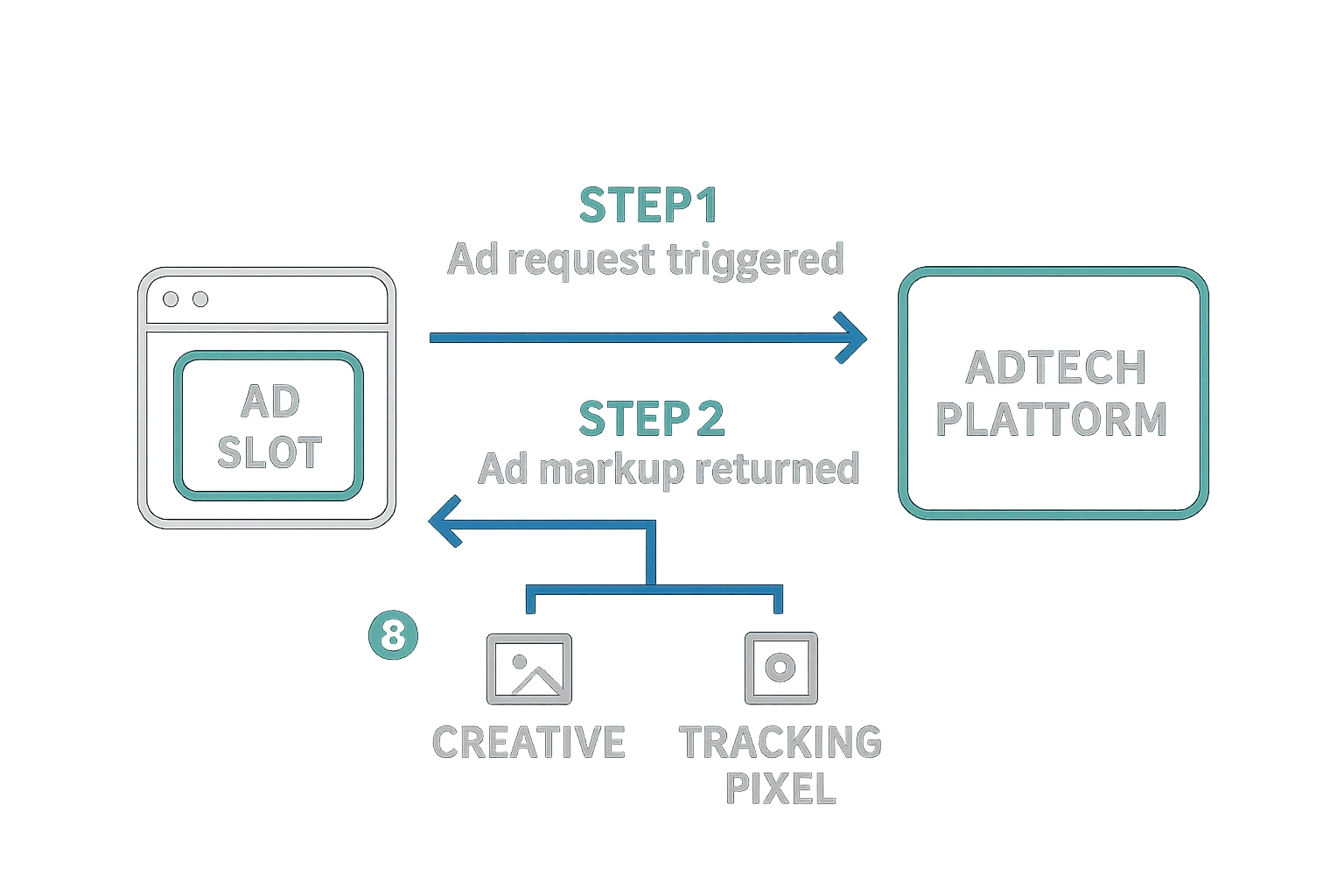
Ad markup performs two primary functions:
- Loading the creative file into the ad slot.
- Tracking the impression by firing tracking tags (pixels) for measurement, ad verification, viewability, and related purposes.
Example of ad markup:
<a href="https://www.mopub.com/nike.com"> <img src="http://nike320x50.jpg"> </a>
Summary
- Ad serving is one of the foundational processes in online advertising, predating and underpinning most of the programmatic infrastructure built since.
- A first-party ad server is used by publishers to manage ad slots, serve ads from direct campaigns and programmatic sources, forecast inventory, and report on performance.
- A third-party ad server is used by advertisers to manage creatives, deliver ads to publishers, verify publisher-reported numbers, and consolidate campaign performance data across multiple sites and networks.
- The ad tag types in use today — JavaScript, iframe, SafeFrame, VAST/VPAID, and IMG — each reflect different trade-offs between interactivity, security, and compatibility, and understanding those trade-offs is essential for anyone working in ad operations or AdTech development.