Advertising Basics: The Advertiser-Publisher Ecosystem Explained
The Advertiser-Publisher Relationship
Digital advertising is a global multi-billion dollar industry comprising thousands of companies, but at the heart of it all are two key players: the advertiser and the publisher.
That relationship predates the Internet by well over a century. Newspapers and magazines sold ad space to advertisers as a way to generate revenue on top of subscriptions and individual sales. Today, anyone can become a publisher by creating a website or developing a mobile app and selling ad space — a shift that has fundamentally changed the dynamics of the traditional advertiser-publisher model.
What is an Advertiser?
An advertiser is a brand or company (including advertising agencies acting on behalf of brands) that wants to get its product or service in front of its target audience to build brand awareness, develop brand loyalty, and increase sales.
Examples of brands that spend billions of dollars each year.
Advertisers aren't only large corporations. Millions of small- and medium-sized enterprises (SMEs) and organizations advertise their products and services online every day.
Large brands are often represented by advertising agencies, whose job is to:
Create the campaign: Designing the graphical elements and messaging of the ad.
Execute the campaign: Configuring the campaign (e.g. setting up targeting and frequency capping) and launching it across different channels (e.g. web, in-app, and DOOH).
Manage the campaign: Measuring campaign results and making adjustments to improve performance.
A Brief History of Advertising Agencies
The first agencies date back as far as 1786, when William Taylor opened his office in London — today acknowledged as the first advertising agency in history.
While that UK business is considered the precursor of advertising agencies in Europe, it was Volney B. Palmer who brought the concept across the Atlantic, opening the first agency on American soil in Philadelphia in 1842. Palmer would buy large amounts of space in various newspapers at a discounted rate, then resell that space at higher rates to advertisers. The actual ad — including the copy, layout, and artwork — was prepared by the client, which made Palmer essentially an ad-space broker with little influence over the creative side.
Some agents, at the request of their clients, created directories listing advertising rates of newspapers across New England. Many agencies profited by buying newspaper space and reselling it with a markup.
That business model persisted until the 19th century, when N.W. Ayer & Son was founded in New York. Rather than simply selling space, the agency provided a full range of services — planning, creating, and executing complete campaigns for its clients. It became well known for its work with clients such as De Beers, AT&T, and the U.S. Army, producing a number of memorable slogans and pioneering the full-service agency model.
Source — Adland: A Global History of Advertising, published by Kogan Page; Second edition (July 28, 2013)
Throughout this guide, the term advertiser refers to either an in-house advertiser working directly at a brand, or an ad agency working on a brand's behalf.
Why Do Brands and Companies Advertise?
There are several core reasons why brands and companies advertise. The main strategies include:
Brand awareness: Reach a broad consumer audience, engage with them, and maximize the time they are exposed to the brand.
Direct response (aka prospecting or acquisition): Generate new leads, sales, and conversions by displaying ads that persuade consumers to take a specific action, such as filling in a form.
Retention: Re-engage existing customers and consumers who have previously interacted with or been exposed to a brand — often executed via retargeting (aka remarketing) campaigns.
What Is a Publisher?
A publisher can be defined as any company that produces content that attracts an audience.
Examples include newspapers and magazines in the offline world, and websites and mobile apps in the online world.
Examples of publishers
The term publisher doesn't solely refer to standalone websites — it also extends to content and publishing platforms such as YouTube, Facebook, and Hulu.
How Publishers Monetize Their Websites and Apps
Publishers have several monetization options depending on their strategy.
Digital Ads
Selling digital advertising is by far one of the most popular ways to monetize websites and apps of all shapes and sizes. Depending on the pricing model, publishers can earn revenue each time a visitor clicks on an ad or for every 1,000 impressions served.
Paywalls and Registration Walls
Paywalls require users to either buy a subscription, pay a one-time fee, create a free account, or simply provide their email address in order to access the content
Many popular news and premium-content sites place their content behind paywalls or registration walls.
Paywalls: Require users to buy a subscription or pay a one-time fee to access content. News and media companies are increasingly turning to paywalls to offset financial losses stemming from ad blocker adoption.
Registration walls: Require users to create a free account or provide their email address in order to access content. Registration walls allow publishers to collect first-party data and build addressable audiences that can be offered to advertisers for targeting purposes — though this approach is still susceptible to ad blockers.
Products and Services
Some publishers that monetize their websites by either selling their own products and services
Some publishers monetize by selling their own products and services, or by partnering with other companies and promoting those companies' offerings in exchange for a commission or revenue share. Examples include e-commerce stores, affiliate sites, industry-research companies, and sites that offer premium content or digital goods.
Selling Data
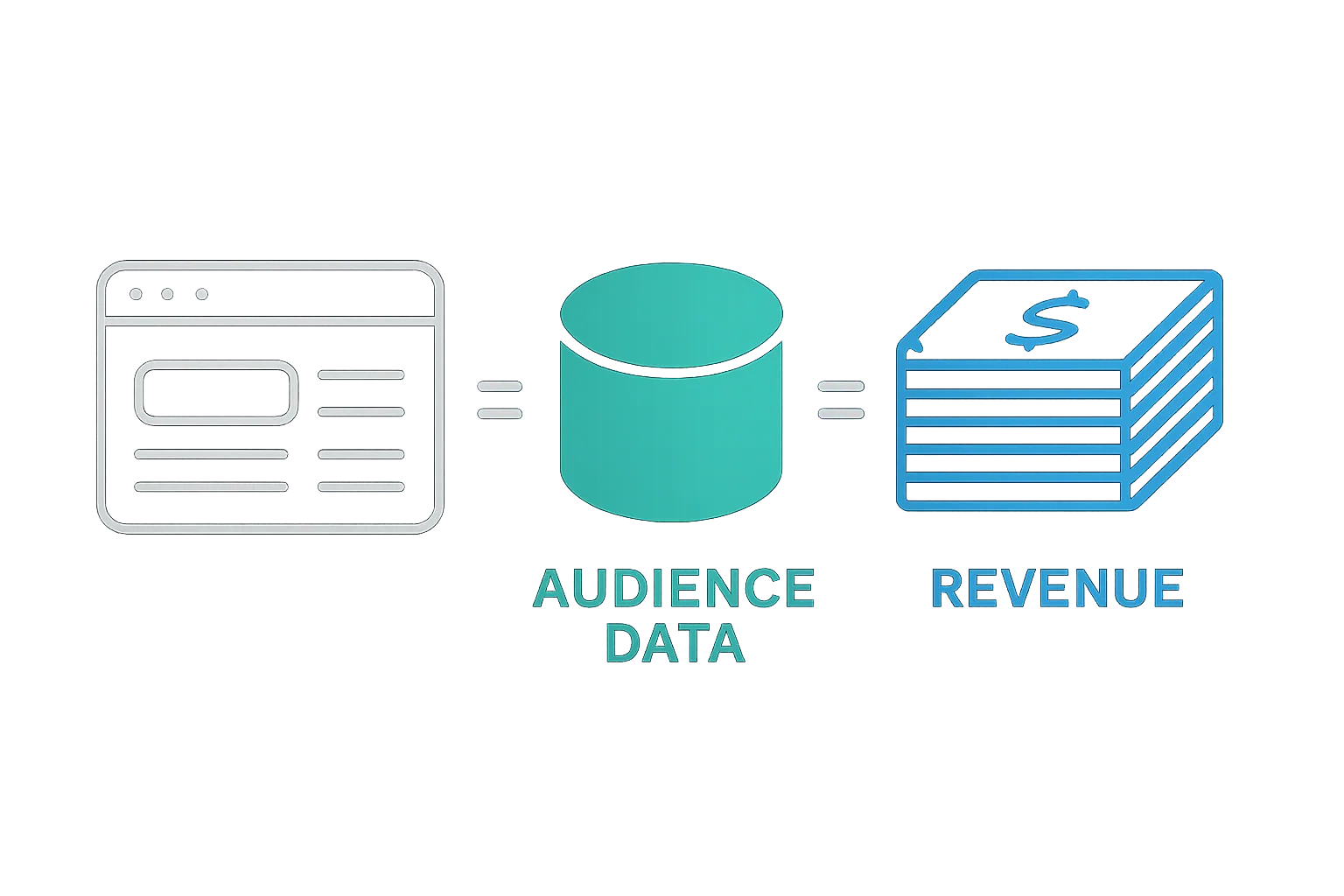
Large publishers with access to thousands of data sets and user profiles can sell that information to data brokers or directly to advertisers.
What is Advertising Technology (Ad Tech)?
The way online advertising campaigns are run today looks entirely different from how campaigns were managed over the preceding 150+ years of advertising — and that's largely due to the rise of advertising technology.
Advertising technology (also written as Ad Tech, AdTech, adtech, ad tech, or ad technology) refers to the software and tools used to create, run, manage, measure, and optimize digital advertising campaigns.
All parties involved in digital advertising — from brands and advertisers to ad agencies, technology vendors, and publishers — use one or more pieces of advertising technology.
Since the first AdTech systems appeared in the mid-1990s, a wide range of new platforms have emerged to solve specific problems and capitalize on new opportunities across the ecosystem.
AdTech has helped both sides of the transaction get what they need:
Advertisers: Want successful ad campaigns targeted at highly engaged, valued audiences with measurable results.
Publishers: Want high percentages of ad inventory sold at the highest possible price with minimal overhead costs.
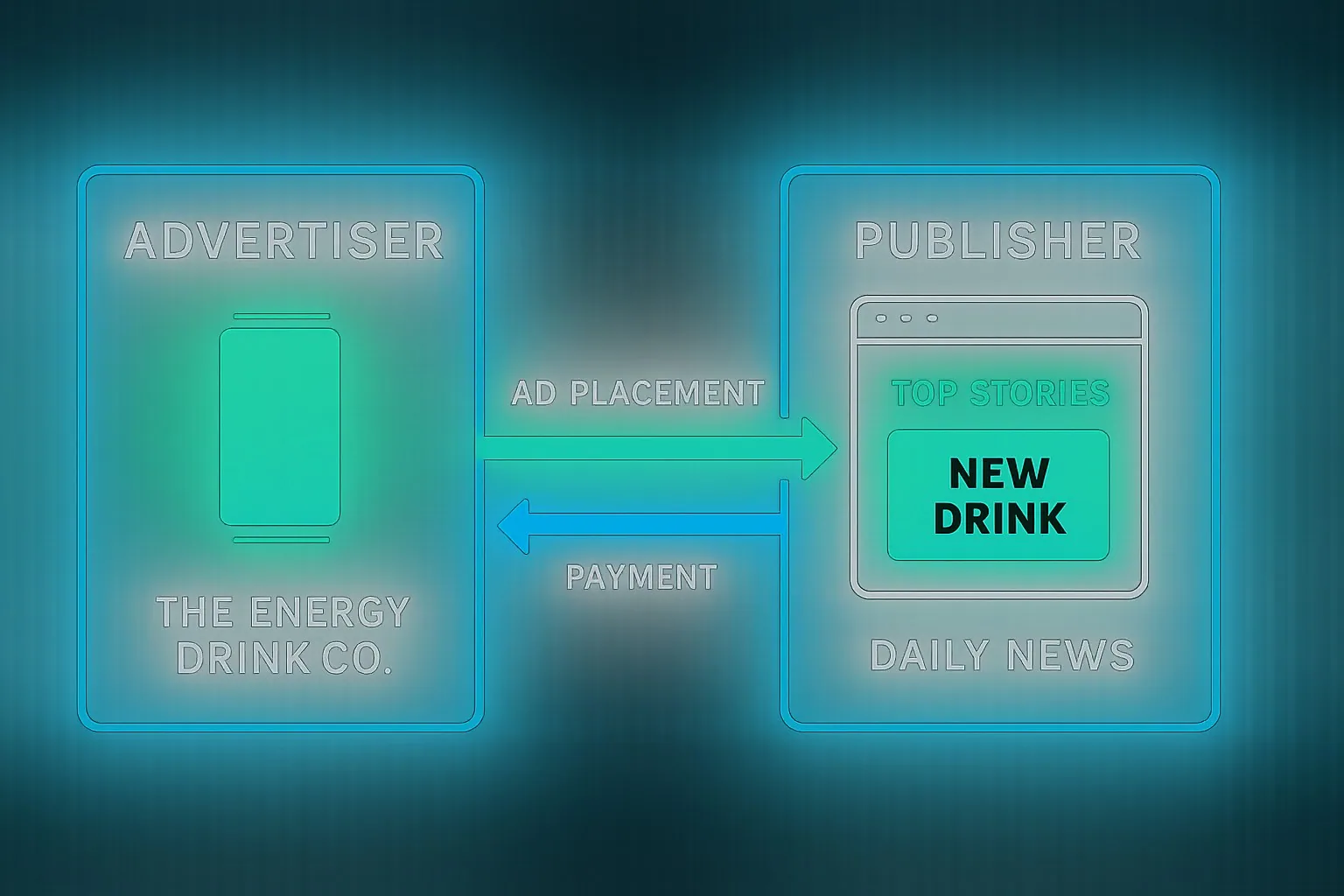
In the image above, the advertiser (The Energy Drink Co.) pays to have its ads displayed on the publisher's website (Daily News).
The Internet and AdTech added new channels, mediums, and scale to what has always been the fundamental goal of advertising. For example, rather than a brand calling up the Chicago Tribune to place a full-page ad in the Sunday edition hoping to reach Chicagoans, that same brand can now buy ad space across multiple publishers' websites and display ads exclusively to people in Chicago who match the profile of a likely customer.
These visitors would fit the advertiser's ideal target-customer profile — based on criteria such as demographics, interests, behaviours, recent purchases, and browsing history — and could be reached at the right time, in the right context, and on the right device.
What is a target audience?
A target audience is a group of consumers who represent the best fit as potential buyers of an advertiser's product or service. They are typically characterized by specific needs or desires, and are usually defined by a combination of demographics, interests, and/or behaviours.
The media-buying and selling process itself has also adapted to the online environment. Where brands once contacted a newspaper's sales team directly to purchase ad space, most online media is now bought and sold through advertising technology — which is responsible for far more than simply moving an ad from an advertiser to a publisher.
AdTech is responsible for, among other things:
- Making decisions about which ads to display to specific groups of users based on the advertiser's targeting criteria.
- Delivering online media (ads) across different channels (web and in-app mobile) and devices (smartphones, laptops, tablets, etc.).
- Optimizing campaign performance for advertisers and yield for publishers.
- Collecting data about users and creating audience segments.
- Producing measurement and analytics reports.
- Managing billing and the media-buying process.
Important Terms Explained
The online advertising industry has developed its own terminology and an extensive collection of acronyms and initialisms. The following are some of the most fundamental terms.
Ad Slot
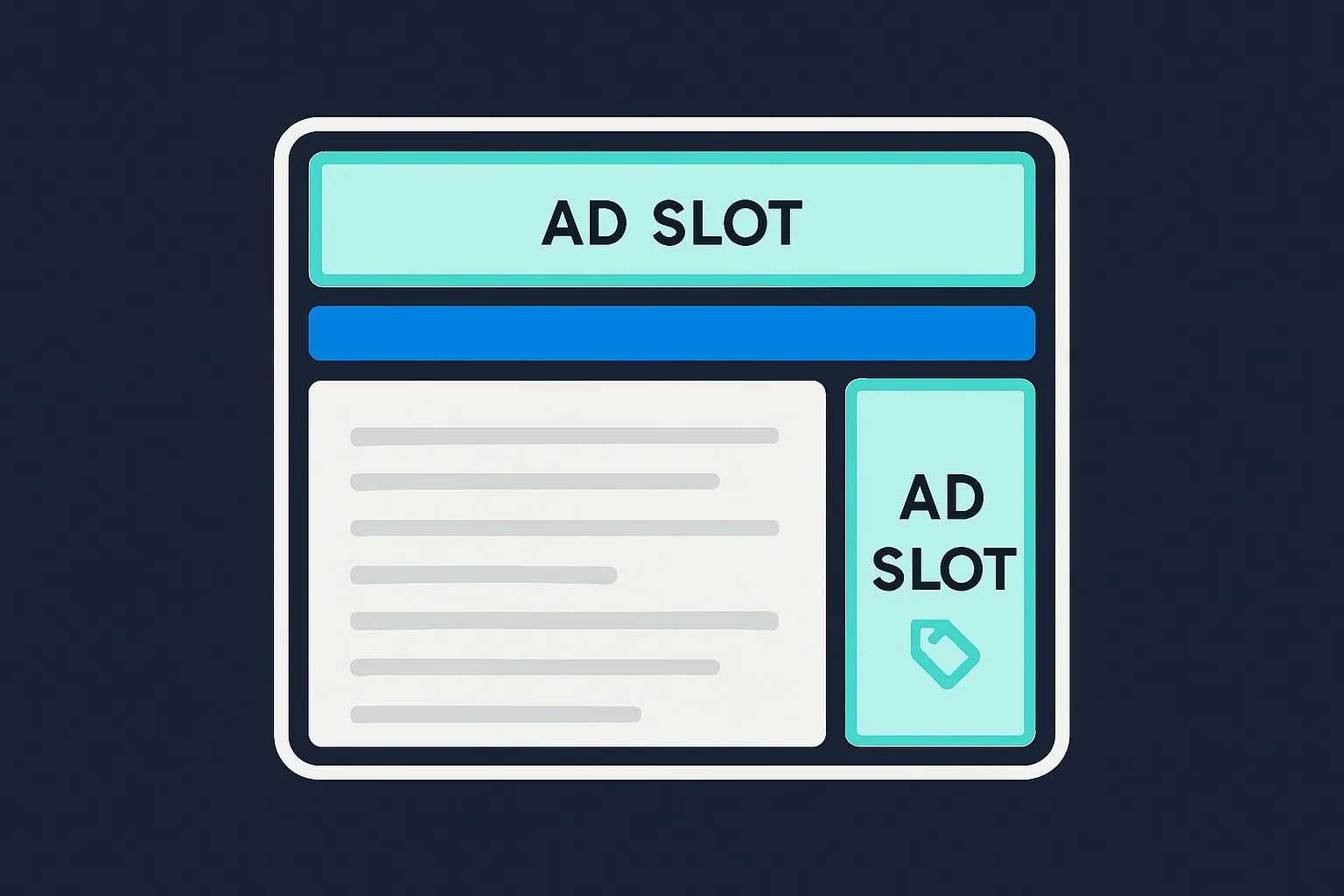
An ad slot refers to the dedicated space on a website designated for displaying ads. Within an ad slot sits an ad tag — the code that communicates with the ad server to load an actual ad.
Ad Space
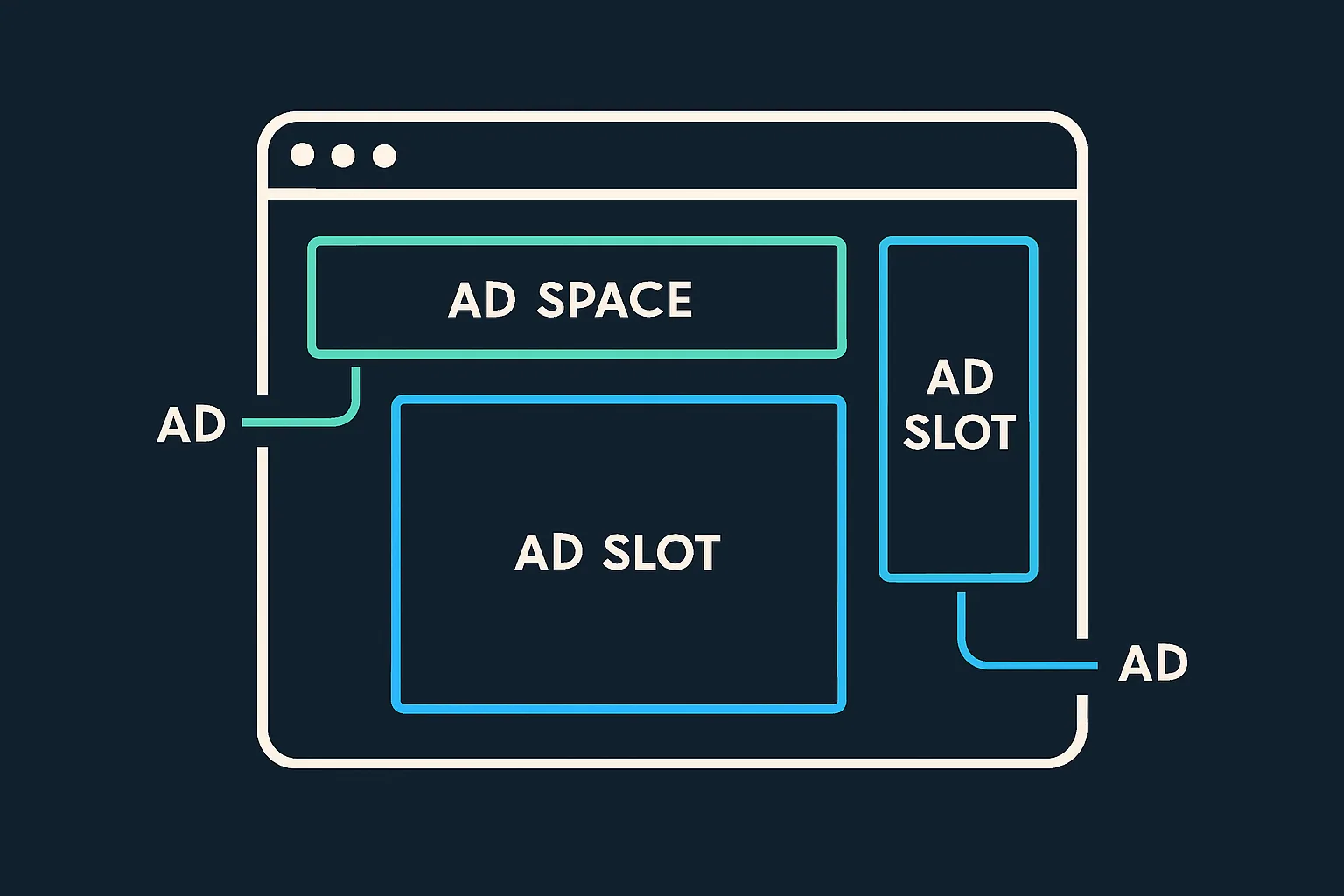
Ad space is the actual impression available within an ad slot. The terms ad space and ad slot are often used interchangeably, but the distinction is that an ad slot is the container — the location on the page — while ad space is the available inventory within it.
A useful analogy: think of a billboard. The physical billboard structure is the ad slot; the blank white area inside where creative is placed is the ad space.
Inventory
Inventory (also called ad inventory) is the collective term for all the ad space available across a website or app. Inventory and ad space are sometimes used interchangeably.
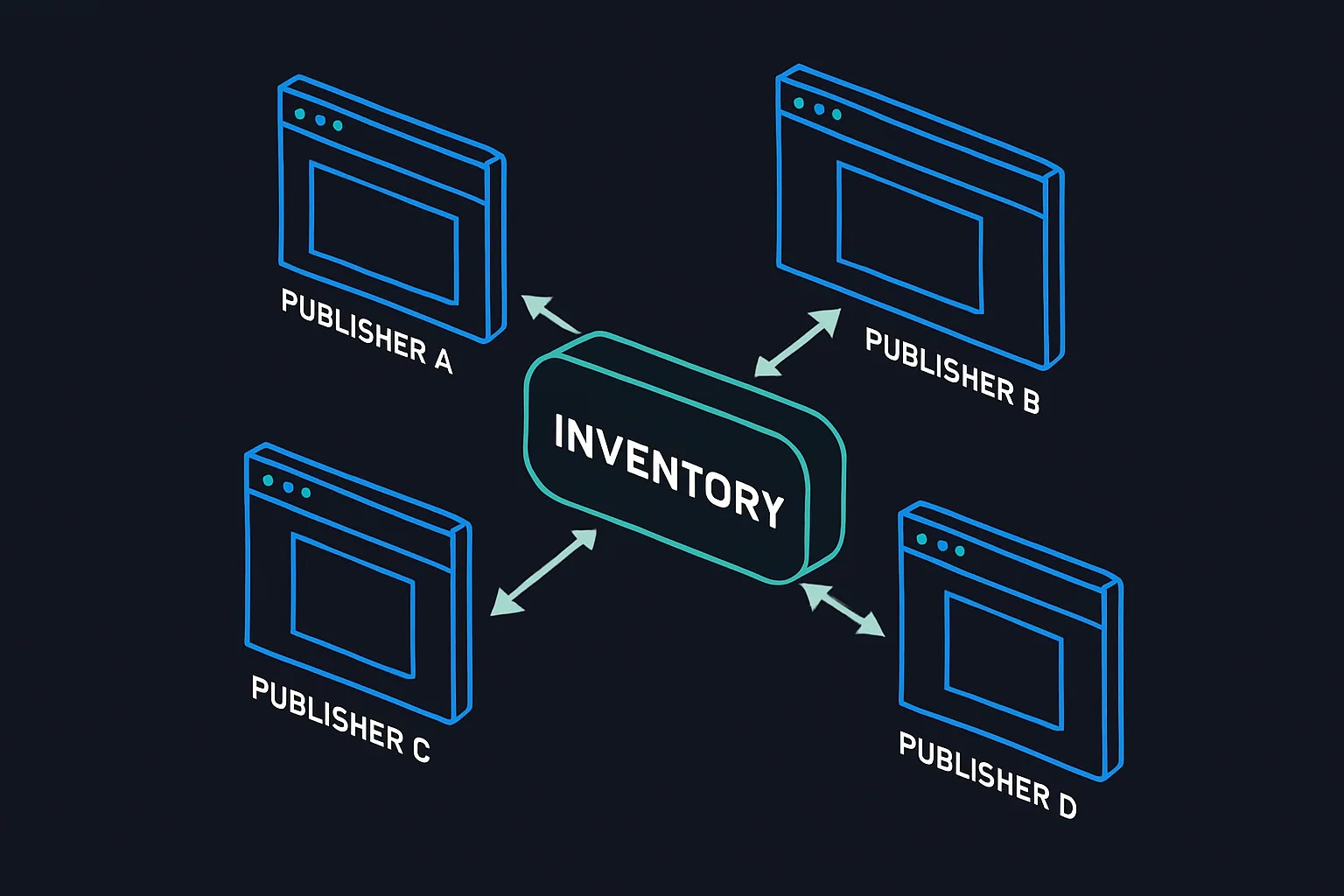
There are three main types of inventory:
Premium inventory is a publisher's most sought-after or most-valuable ad space. It is typically located on recognizable publisher sites, on high-traffic pages such as the homepage, or in highly visible positions such as the top of a page.
Remnant inventory is inventory that a publisher has been unable to sell directly through direct deals and other primary monetization channels. It's essentially leftover inventory that publishers are willing to sell at below-standard prices.
Long-tail inventory is inventory found on small websites and blogs. A large portion of this inventory is monetized via Google AdSense. Long-tail publishers sometimes seek alternatives to AdSense — for example, by joining affiliate programs and networks.
Creative
A creative is the file containing the actual advertisement that a user is exposed to. The most common types are graphical files (static or animated), video files, and audio files, and they come in many formats — including GIF, JPEG, and HTML5 (formerly Flash), as well as MOV, FLV, and MP4 for video.

Creative Specifications
Creative specifications prepare every party in the ecosystem — from ad agencies designing creatives, to AdTech vendors delivering and measuring ads, to publishers preparing their sites — to handle and display advertisements consistently.
These specifications have been developed by the Interactive Advertising Bureau (IAB), the industry organization responsible for delivering standardization to online advertising.
Creative specifications generally:
-
Specify dimensions, size, and file formats. For example: 300×250 pixels (dimensions), maximum 100 KB (size), HTML5, GIF, or JPEG (file format).
-
Outline good practices. For example:
- The
<noscript>tag should be applied to provide a path to an alternate image when users have scripts disabled in their browser. - LEAN principles: Lightweight, Encrypted, Ad-choice-supported, Non-invasive ads.
- The
-
Define functional requirements. For example:
- Maximum animation length of 15 seconds.
- Audio must be user-initiated (mute is the default state).
- Expansion is not allowed.
-
Include technical requirements. For example:
- A minimum of 24 frames per second (fps).
- Z-index guidelines to specify the content layers on a webpage, ensuring ads are displayed on the correct CSS layer and preventing ads from overlapping the publisher's content (e.g. text and images).
Display Ad Formats
Ads displayed in web browsers come in different shapes and sizes depending on where they appear and on which device (desktop or mobile). Each ad type has its own set of formats, most of which were established by the IAB in the late 1990s and early 2000s to create industry-wide standards and simplify media trading between advertisers and publishers.
The most widely used display ad formats have traditionally been:

These formats were part of the Universal Ad Package (UAP), which served as the standard for online advertising for most of the past decade.
| Ad Type | Ad unit Name | Transition Fixed Size Ad unit (px)* | Aspect Ratio (width:height) | Ad Size** | Min. Size Width x height (dp***) | Max. Size Width x height (dp***) | Initial Load | Subload | Static Image Size (dp) |
|---|---|---|---|---|---|---|---|---|---|
| Horizontal | 2x1 | Half Page | 2:1 | X Large | 900x450 | 1800x900 | 250 | 500 | 1800x900 |
| 2x1 | N/A | 2:1 | Small | 300x150 | 450x225 | 100 | 200 | ||
| 4x1 | Billboard 970x250 | 4:1 | X Large | 900x225 | 1800x450 | 250 | 500 | 1800x450 | |
| 6x1 | Smartphone Banner 300x50, 320x50 | 6:1 | X Small | 300x50 | 450x75 | 50 | 100 | 450x75 | |
| 8x1 | Leaderboard 728x90 | 8:1 | Medium | 600x75 | 1200x150 | 150 | 300 | 1200x150 | |
| 10x1 | Super Leaderboard/ Pushdown 970x90 | 10:1 | Large | 900x90 | 1800x180 | 200 | 400 | 1800x180 | |
| Vertical | 1x2 | 300x600 | 1:2 | Large | 300x600 | 450x900 | 200 | 400 | 450x900 |
| 1x3 | Portrait 300x1050 | 1:3 | X Large | 300x900 | 450x1350 | 250 | 500 | 450x1350 | |
| 1x4 | Skyscraper 160x600 | 1:4 | Medium | 160x640 | 240x960 | 150 | 300 | 240x960 | |
| Tiles | 1x1 | Medium Rectangle 300x250 | 1:1 | Medium | 300x300 | 450x450 | 150 | 300 | 450x450 |
| 2x1 | 120x60 Financial | 2:1 | X Small | 200x100 | 300x150 | 50 | 100 | 300x150 | |
| 9x16 | N/A | 9:16 | Large | 300x540 | 450x800 | 200 | 400 | 450x800 |
The above formats are expressed in pixels (px). The IAB's most recent update, however, moved away from fixed pixel dimensions.
IAB New Ad Portfolio
In July 2017, the Interactive Advertising Bureau (IAB) released the finalized IAB Standard Ad Unit Portfolio — the biggest update to ad format standards since 2002 and the official successor to the Universal Ad Package (UAP).
The Ad Unit Portfolio enriches the available ad units and allows each creative to adapt to a variety of screen sizes and resolutions. Critically, the new portfolio uses aspect ratios rather than fixed pixel dimensions, and incorporates the LEAN Principles:
Lightweight · Encrypted · AdChoices supported · Non-invasive
…across mobile, display, and native ad formats.
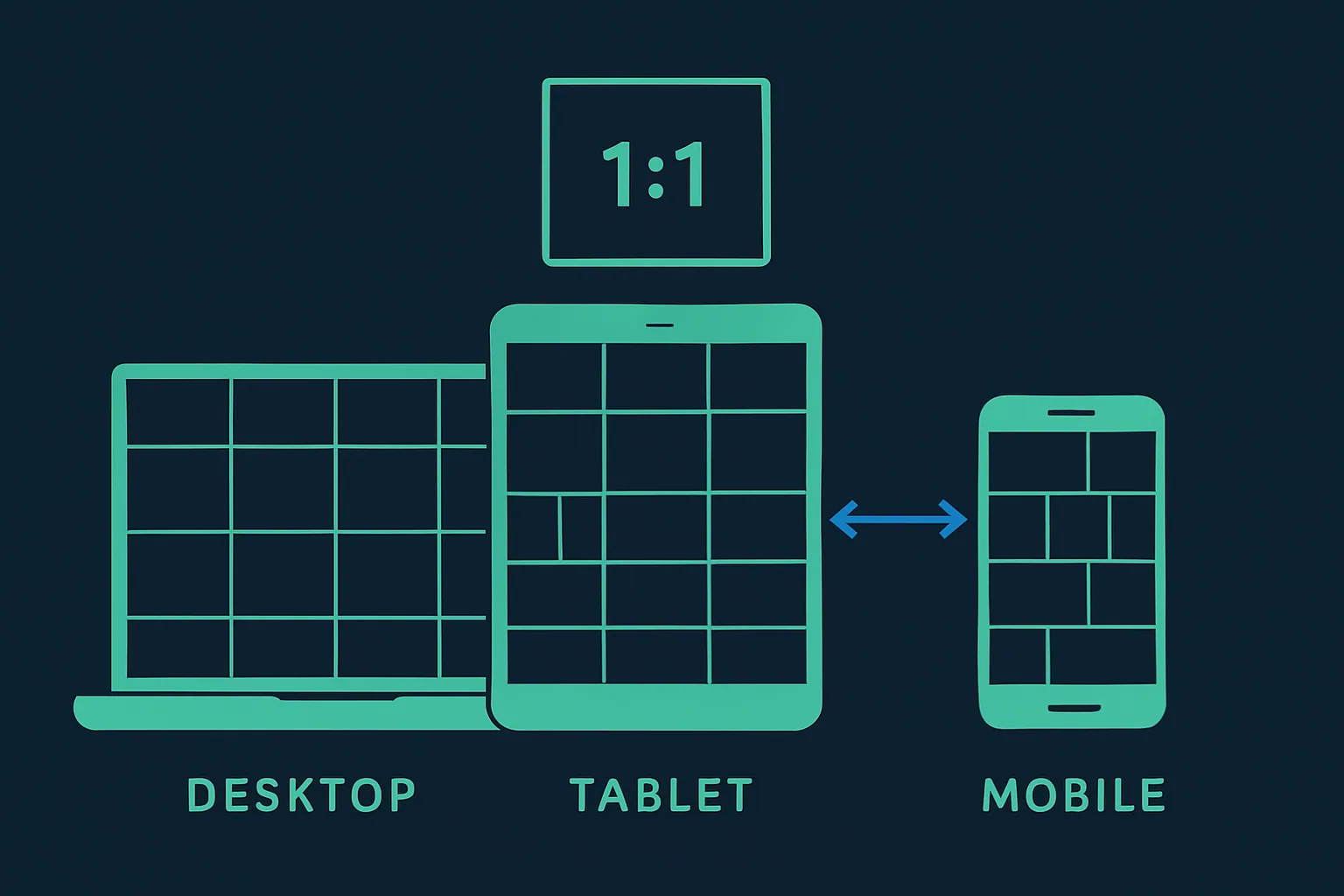

The images above illustrate the difference between ads with an aspect ratio of 1:1 and 1:2. The current IAB ad formats encompass nine aspect ratios. Learn more at iab.com.
The aspect-ratio approach allows ads to scale and adapt to a wide range of screen sizes and resolutions. The new IAB portfolio is built on HTML5 and also includes guidelines for augmented reality (AR), virtual reality (VR), social media, mobile video, emoji ad messaging, and 360-degree video ads.
Impression
An impression (sometimes called an ad view) is counted every time a creative is served to a user.
An example of an impression on a publisher's website.
Importantly, if a user refreshes the page and sees the same ad again, a new impression is counted.
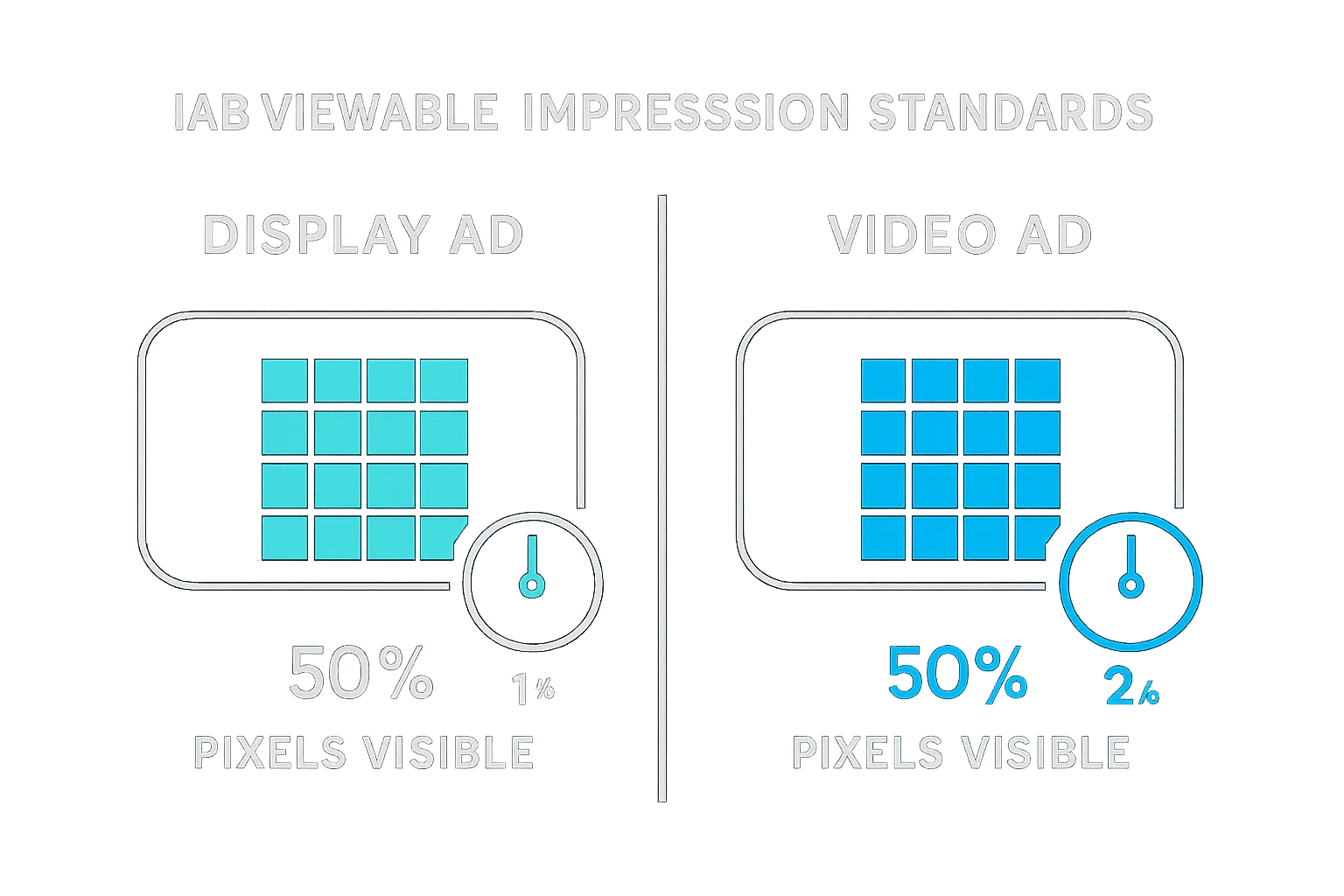
Viewable Impression
A viewable impression is a metric used to determine whether an impression was actually seen by a real human — as opposed to being "seen" by a bot or hidden below the fold in an area the user never scrolled to.
The chart below shows when an impression is considered viewable according to the standard set by the IAB:
Click
A click is counted when someone clicks on an ad, even if the person doesn't successfully reach the advertiser's website (for example, if the site is temporarily unavailable).
Examples of clicks and impressions
Conversion
A conversion is counted every time a user completes a goal set by an advertiser or marketer — such as purchasing a product, signing up for an online service, downloading a file, or filling in a contact form on a landing page.
An example of a conversion on a landing page
Landing Page
A landing page is the web page an online user arrives at after clicking on an ad or link. Landing pages are intentionally designed differently from a website's regular pages — they are built around a single objective: getting the user to convert and complete a specific goal.
Advertising campaigns, particularly direct-response and prospecting campaigns, typically direct traffic to dedicated landing pages to maximize conversion rates.
An example of the difference between a website and a landing page.
The page on the left is a dedicated landing page with one common theme and one call to action. The page on the right is a homepage with a general theme and multiple navigation options.
The Effectiveness of a Campaign
The effectiveness of an advertising campaign refers to how well a campaign meets its stated goals and objectives — whether that means increasing conversions and sales, driving traffic to a landing page, or building brand exposure at scale.
Pricing Models
There are several ways advertisers pay to display ads on publisher sites.
Cost Per Mille (CPM)
The CPM pricing model refers to the cost per 1,000 impressions; mille is Latin for one thousand. The reason pricing is expressed in thousands rather than individual impressions is that the cost per single impression is very small, making per-impression accounting impractical. Even though ad servers and DSPs calculate on a per-impression basis (e.g. $0.002 per impression), CPM is the figure presented to advertisers, publishers, and AdOps teams for easier calculation.
Cost Per Click (CPC)
Cost per click expresses how much each click on an ad or link costs the advertiser. If an advertiser buys inventory on a CPC basis of $1.10, every time a visitor clicks the ad, the advertiser is charged $1.10.
Cost Per Action/Acquisition (CPA)
Under the CPA model, the publisher or affiliate is only paid when a user converts — for example, purchases a product or submits a lead form — as a result of viewing or clicking an ad. This model is common in affiliate networks but is less prevalent than CPM or CPC.
Advertisers generally select a pricing model based on their campaign objective. A brand seeking broad awareness at scale would typically choose CPM; an advertiser focused on driving conversions would lean toward CPC or CPA.
Did You Know?
Current display advertising benchmarks — including click-through rates, ad format performance, and vertical performance — can be estimated using Google's Display Benchmark tool.
These foundational concepts — advertiser, publisher, inventory, creative, impressions, clicks, conversions, and pricing models — form the shared vocabulary of the entire digital advertising ecosystem. Understanding how they interrelate is the starting point for making sense of the more complex technology layers and trading mechanisms built on top of them.