How Facebook's First-Party Cookie Pixel Works — and What It Means for AdTech
Cookies have long been the foundation of online advertising — driving targeted campaigns, enabling retargeting, and powering attribution. They remain the most common method of identifying users across the web and delivering a personalized browsing experience.
That foundation, however, has been under sustained pressure. Privacy-focused European legislation (GDPR and ePrivacy), rising user awareness, and aggressive browser-level tracking prevention have forced AdTech and MarTech companies to rethink how they collect, store, and act on visitor data.
One of the most disruptive forces in this shift has been Apple's Intelligent Tracking Prevention (ITP), which has made third-party cookies deeply problematic for the industry — from retargeting specialists like Criteo to large walled gardens like Facebook.
In response, Facebook joined Google and Microsoft in offering advertisers a first-party cookie option for its Facebook Pixel. To understand why that move matters, it helps to start with the fundamentals.
What Types of Cookies Are There?
There are two primary types of cookies: first-party and third-party. Technically, there is no meaningful difference between them — both contain the same categories of information and perform the same basic functions. The distinction lies in how and where they are created, and what context they operate in.
First-party cookies are stored by the domain you are visiting directly. They allow website owners to collect analytics data, remember language settings, and perform other functions that support a good user experience. They are created directly by the website whenever a user visits.
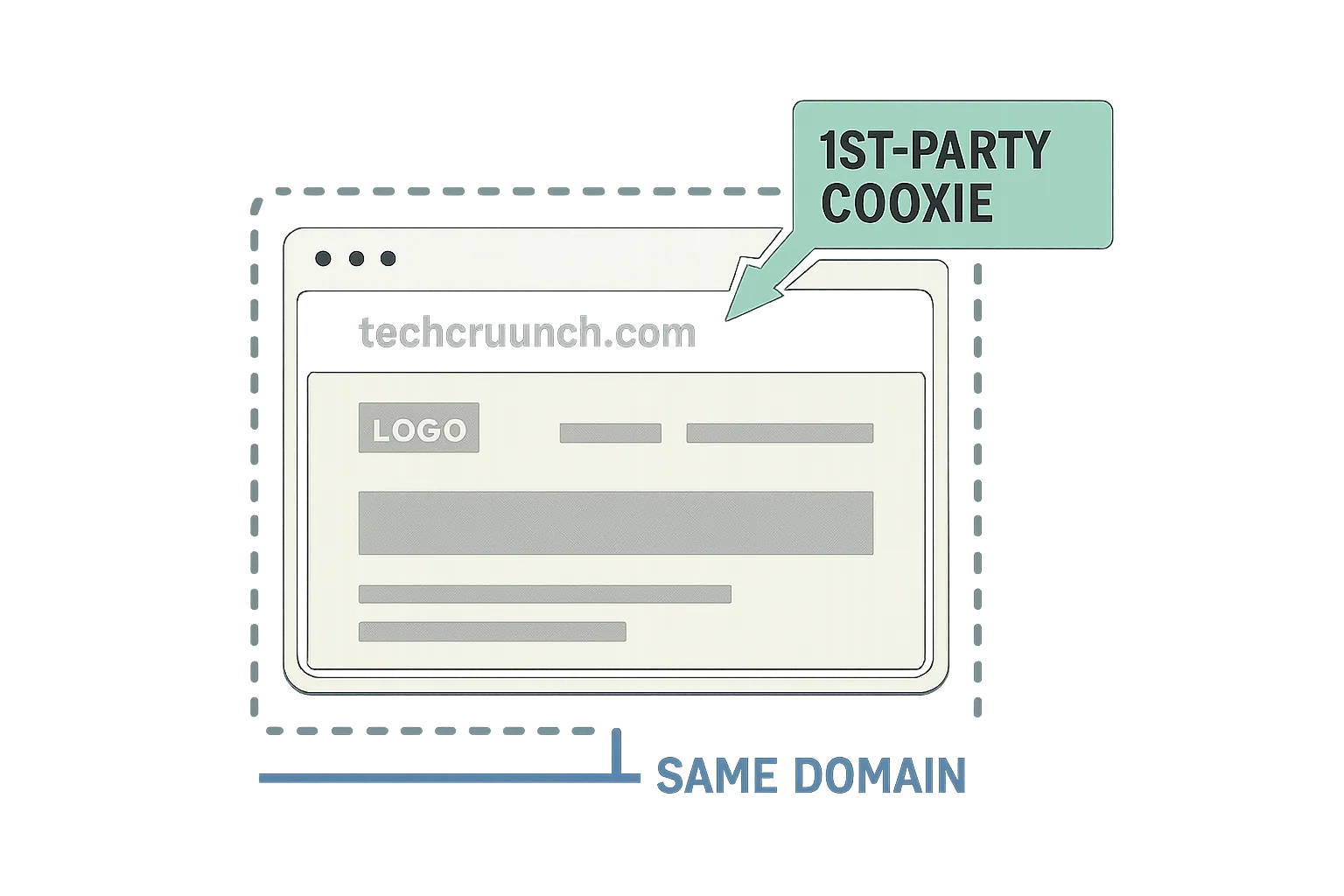
Third-party cookies are created by domains other than the one being visited — hence "third-party." They are used for cross-site tracking, retargeting, and ad-serving. Rather than being placed by the website itself, they are placed by external parties such as advertisers and AdTech platforms.
| First-Party Cookies | Third-Party Cookies | |
|---|---|---|
| Setting and Reading the Cookie | Can be set by the publisher's web server or any JavaScript loaded on the website. | Can be set by a third-party server (e.g., an AdTech platform) via code loaded on the publisher's website. |
| Availability | A first-party cookie is only accessible via the domain that created it. | A third-party cookie is accessible on any website that loads the third-party server's code. |
| Browser Support, Blocking and Deletion | Supported by all browsers and can be blocked and deleted by the user, but doing so may provide a bad user experience. | Supported by all browsers, but many are now blocking the creation of third-party cookies by default. Many users also delete third-party cookies on a regular basis. |
- Second-party cookies occupy a contested middle ground. They originate as first-party cookies but are transferred from one company to another via a data partnership. For example, an airline could sell its first-party cookies — along with other first-party data like names and email addresses — to a hotel chain for ad targeting purposes, at which point those cookies are classified as second-party.
Apple's Intelligent Tracking Prevention (ITP)
ITP is a privacy feature built into Apple's Safari browser and iOS. It fundamentally changes how the browser handles cookies.
Versions prior to ITP 2.0 allowed cookies to be read in a third-party context if the user had visited the domain directly within the previous 24 hours. ITP 2.0 eliminated even that narrow access window.
The practical effects are significant. When browsing with Safari, users are not tracked or retargeted in the conventional sense. Social features that depend on third-party cookies — such as "Log in with Facebook" or "Share on Facebook" buttons — no longer function as expected. (Facebook has also historically used these buttons to collect data on both users and non-users across the wider web.)
ITP is specifically designed to detect cross-site tracking and partition (isolate) first-party cookies, making it impossible to use them for cross-site tracking or analytics. The result is that Apple's ITP 2.0 functions as a direct constraint on the ad revenue and tracking capabilities of Google, Bing, and Facebook alike.
It's worth noting that native tracking prevention tends to be implemented by browser developers who are not simultaneously in the business of selling ads — Apple, Mozilla, and Opera being the clearest examples. Other browsers have moved in a similar direction: Mozilla introduced Content Blocking (previously called Tracking Protection) with Firefox version 63, released on August 30, 2018, bringing ITP-like, always-on functionality to that browser's user base.
Cookie-blocking browser extensions have also proliferated alongside these native features — ad blockers, cookie blockers, and cookie scanners have become mainstream tools, effectively eliminating the reach of behaviourally targeted advertising for a meaningful segment of users.
Facebook's Pixel: From Third-Party to First-Party
The Facebook Pixel is a snippet of code that allows brands and advertisers to measure, optimize, and build audiences for their Facebook advertising campaigns. Originally, it relied on third-party cookies. ITP 2.0 broke that mechanism in Safari, pushing Facebook to develop a workaround.
How Facebook's First-Party Cookie Pixel Works
Facebook's first-party cookie pixel is engineered to sidestep cookie-blocking techniques like ITP. From the browser's perspective, the cookie appears to originate from the advertiser's own site — but it still sends data back to Facebook, performing the functions typically associated with a third-party cookie.
Switching to first-party cookies as the default for the Facebook Pixel is intended to let businesses continue running analytics and tracking ad attribution regardless of which browser their audience uses.
Even with first-party cookies as the default, advertisers retain the option to revert to third-party cookies at any time — relevant for use cases involving sensitive data. That setting is available in Events Manager under Settings.
Facebook cookie
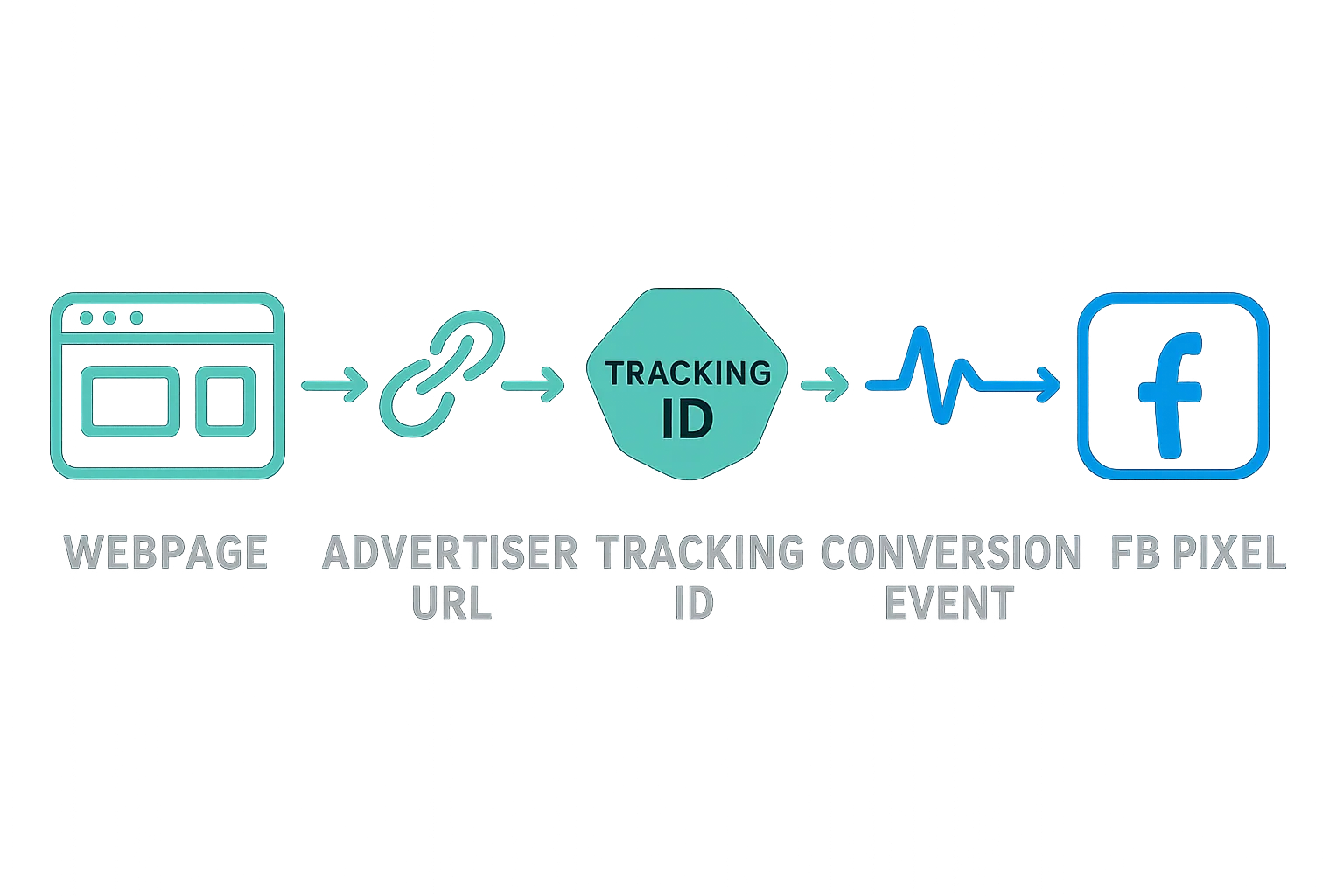
The mechanics, step by step:
- A user clicks a Facebook ad. A unique string is appended to the destination link.
- The user is redirected to the advertiser's landing page. Before this interaction, the advertiser's site must have displayed a consent notice enabling visitors to consent to the pixel sharing first-party cookie data with Facebook.
- The URL is interpreted by the pixel installed on the advertiser's site. The URL parameter is stored in the user's browser as a first-party cookie.
- The pixel communicates with Facebook server-side, sending back the data stored in that first-party cookie.
Other Workarounds for ITP 2.0
ITP 2.0 created real headaches for most independent AdTech and MarTech vendors. The industry response has been widespread: nearly every vendor has either implemented or is actively developing workarounds, with server-to-server conversion and event tracking emerging as the primary solution.
This dynamic reflects the broader cat-and-mouse pattern between browser makers pushing for user privacy and the advertising ecosystem working to maintain measurement and targeting capabilities. First-party cookie architectures, server-side event tracking, and data clean rooms are among the technical responses that have gained traction in the years since ITP 2.0's introduction — and that pattern of adaptation is likely to continue as browser privacy controls evolve further.