What Is Intelligent Tracking Prevention and How Does It Work? (Versions 1.0–2.3)
Intelligent Tracking Prevention (ITP) is a WebKit feature shipped in Safari 12 and iOS 11 that changes how Safari handles first-party cookies — effectively narrowing one of the last remaining avenues for cross-site tracking. This article walks through what ITP is, the mechanism behind it, and how each version from 1.0 through 2.3 tightened the restrictions.
Table of Contents
- What Is Intelligent Tracking Prevention?
- How Does It Work?
- When First-Party Cookies Become Trackers
- ITP Versions 1.0 and 1.1
- ITP 2.0
- ITP 2.1
- ITP 2.2
- ITP 2.3
What Is Intelligent Tracking Prevention?
Intelligent Tracking Prevention is a feature of WebKit, the open-source browser engine that powers Apple's Safari. It shipped with Safari 12 and iOS 11 and is designed to protect user privacy by restricting how first-party cookies can be used for cross-site tracking.
Prior to ITP, Safari already blocked third-party cookies by default and allowed iOS users to install content blockers from iOS 9 onwards. First-party cookies, however, were left largely untouched — they were considered safe because they serve legitimate user-experience functions. ITP changed that assumption.
How Does It Work?
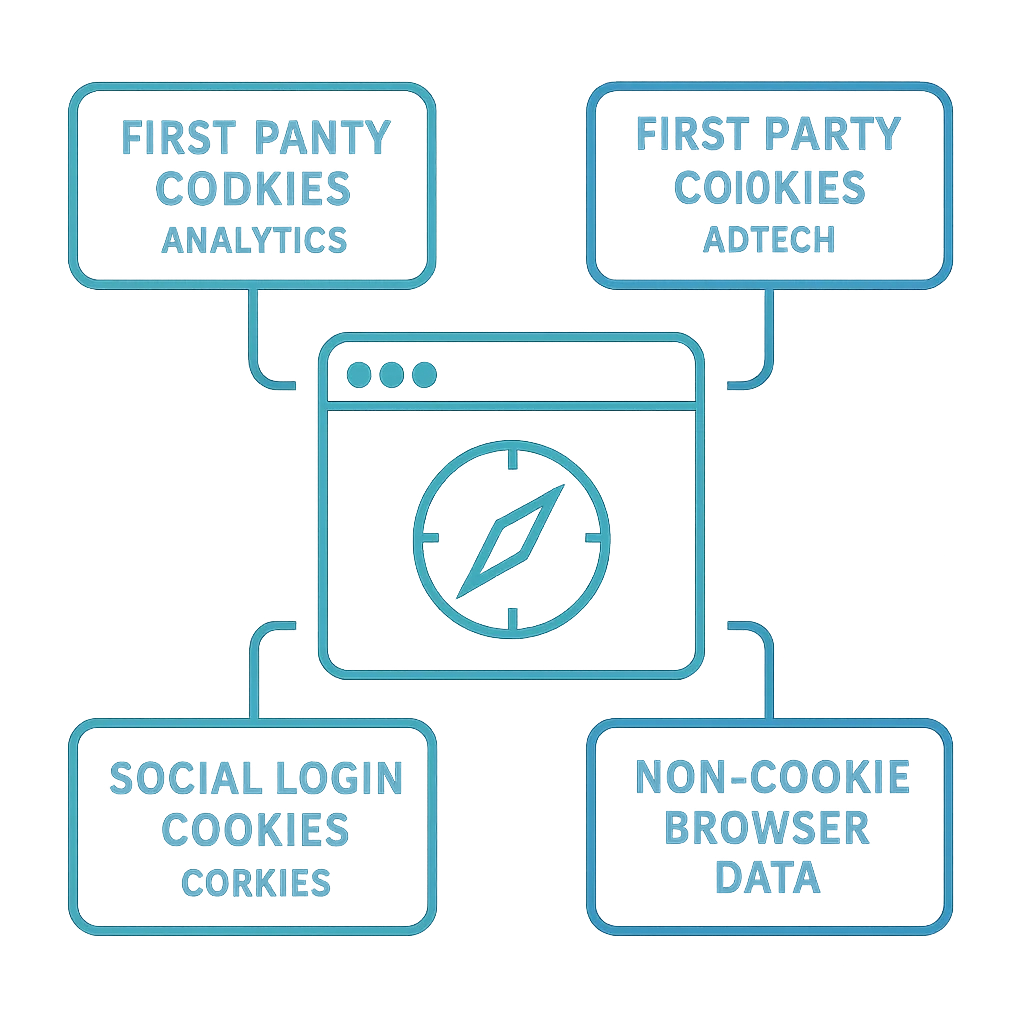
First-party cookies handle a wide range of essential browser functions, including:
- Keeping users logged into websites and applications.
- Remembering which products were added to a shopping cart.
- Storing website preferences like language selection.
- Retaining values entered into forms (name, email, etc.).
These are legitimate uses that genuinely improve the browsing experience. The problem is that the same mechanism — a domain setting a cookie in its own first-party context — can be repurposed for cross-site tracking. ITP targets that repurposing specifically.
When First-Party Cookies Become Trackers
Most users don't think of first-party cookies as tracking tools. Here is a concrete example of how they can be used that way in Safari (and other browsers, depending on their cookie-handling policies).
Example: A User Clicks on an Ad
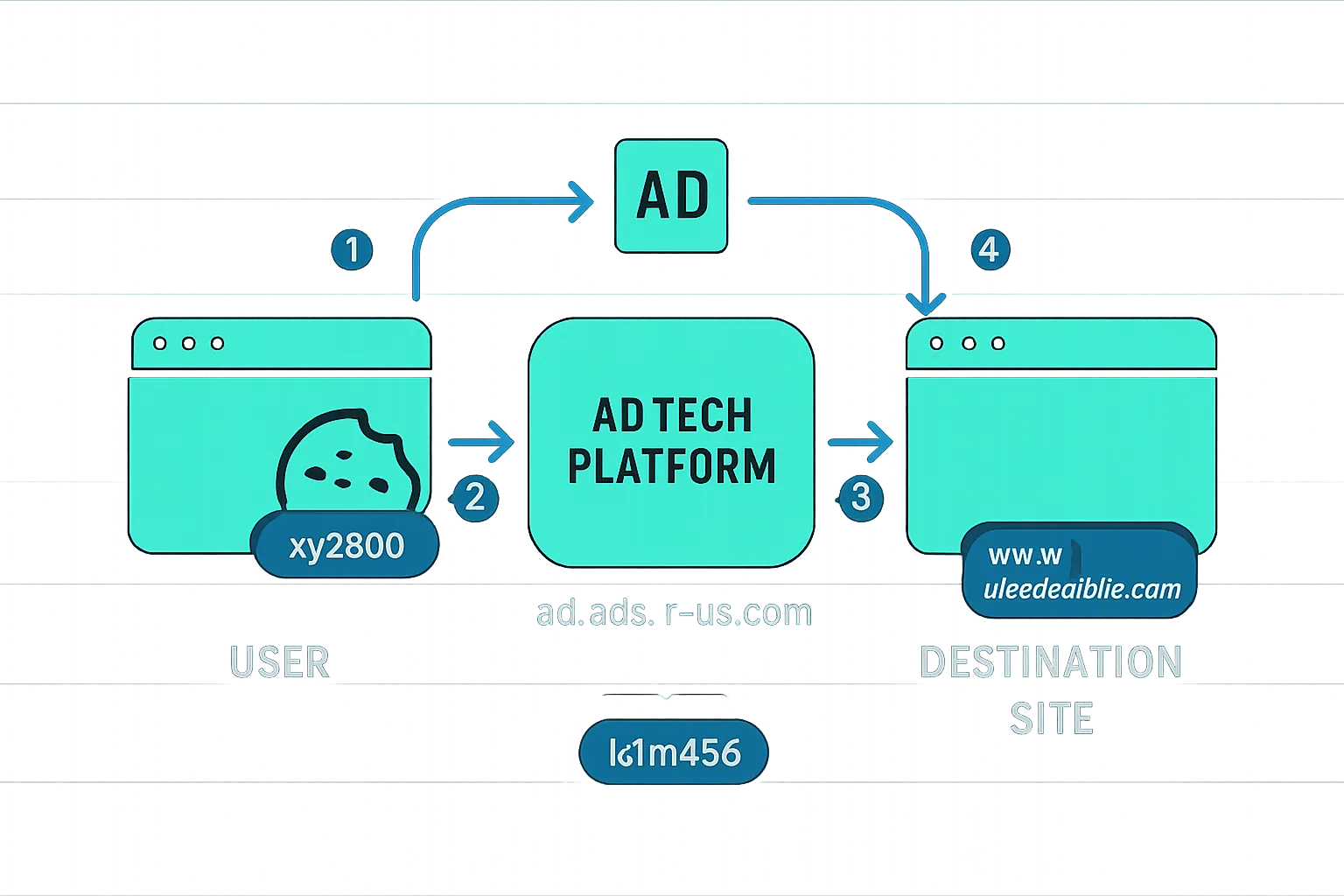
Here is what happens in a typical ad-click flow:
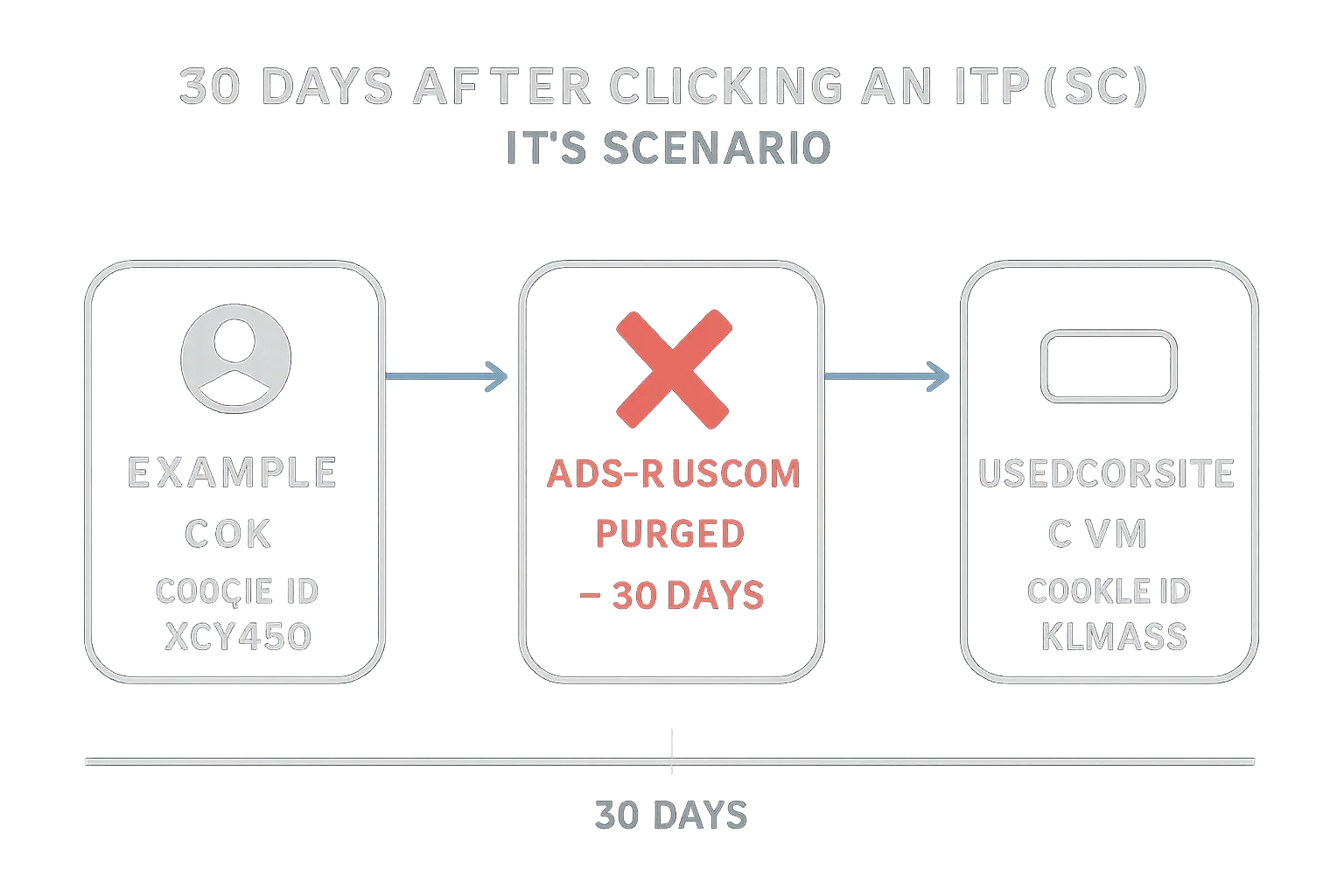
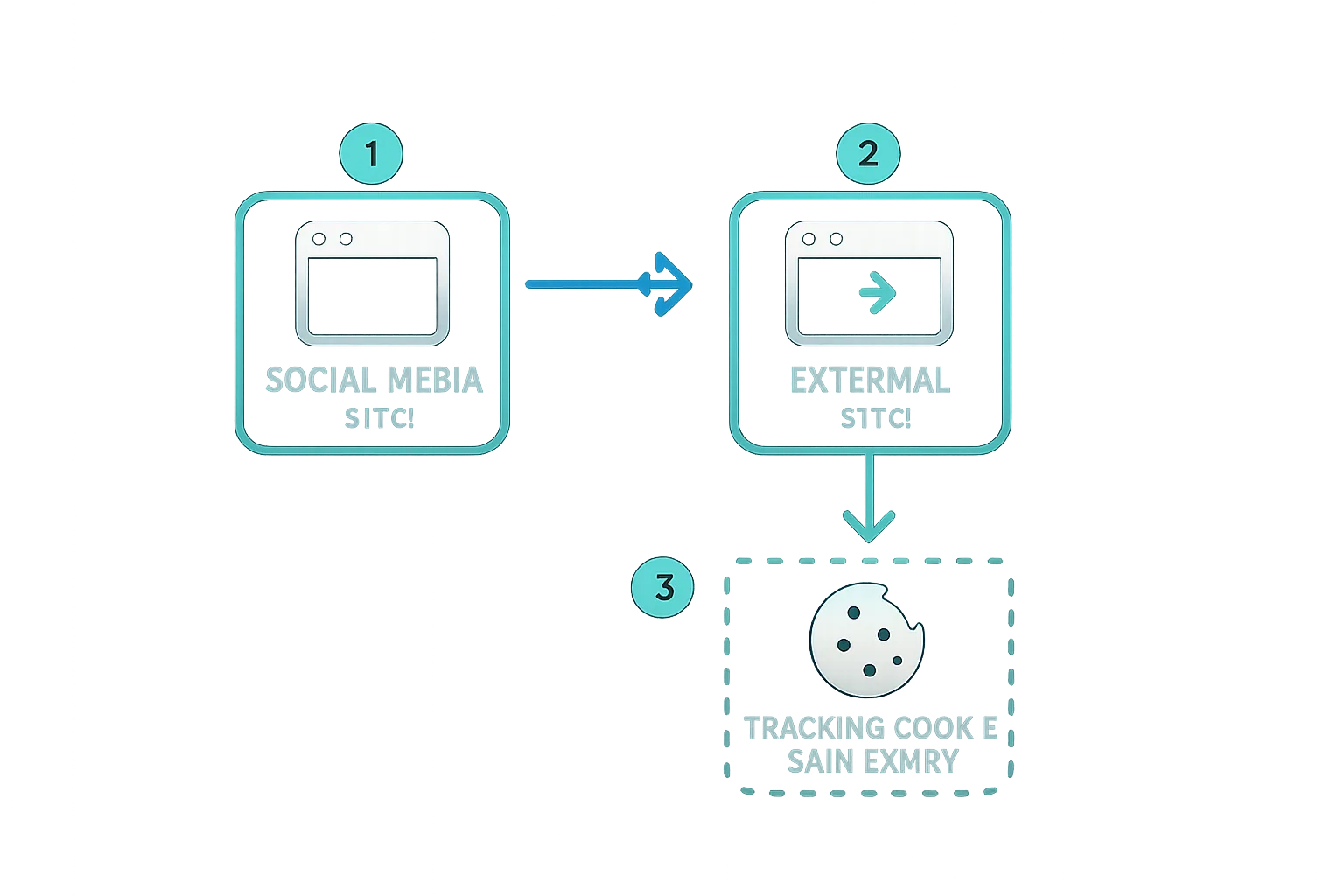
- The user visits a website (example.com), which sets a first-party cookie (xyz890) in its own domain.
- The user clicks on an ad and is directed to an AdTech platform's domain (ad.ads-r-us.com).
- The AdTech platform creates a first-party cookie (klm456) under its domain (ads.ads-r-us.com) and assigns it to the user.
- The AdTech platform then redirects the browser to the advertiser's landing page (www.usedcarsite.com).
The critical point: the AdTech platform is able to set a first-party cookie because the user's click navigated them through that domain. Safari interprets it as a first-party interaction. Had there been no click-through, Safari would have blocked the cookie as a third-party one. But because the cookie is now first-party under ads-r-us.com, the platform can use it to recognize and track the user across subsequent sites it appears on.
This is the behaviour ITP was designed to address. In total, six versions have been released: 1.0, 1.1, 2.0, 2.1, 2.2, and 2.3.
ITP Versions 1.0 and 1.1
ITP's core mechanism is a Machine Learning Classifier — a model built into WebKit that analyzes statistics collected by the browser and determines which privately controlled domains have cross-site tracking capability. When a domain is classified as a tracker, its cookies are treated differently from those of domains with no such capability.
Scenario 1: 0–24 Hours After Clicking the Ad
In ITP 1.0 and 1.1, a classified tracker domain was given a 24-hour grace period. If a user visited that domain directly within 24 hours of the original ad click, the first-party cookie from that domain could still function in a third-party context — for example, for retargeting.
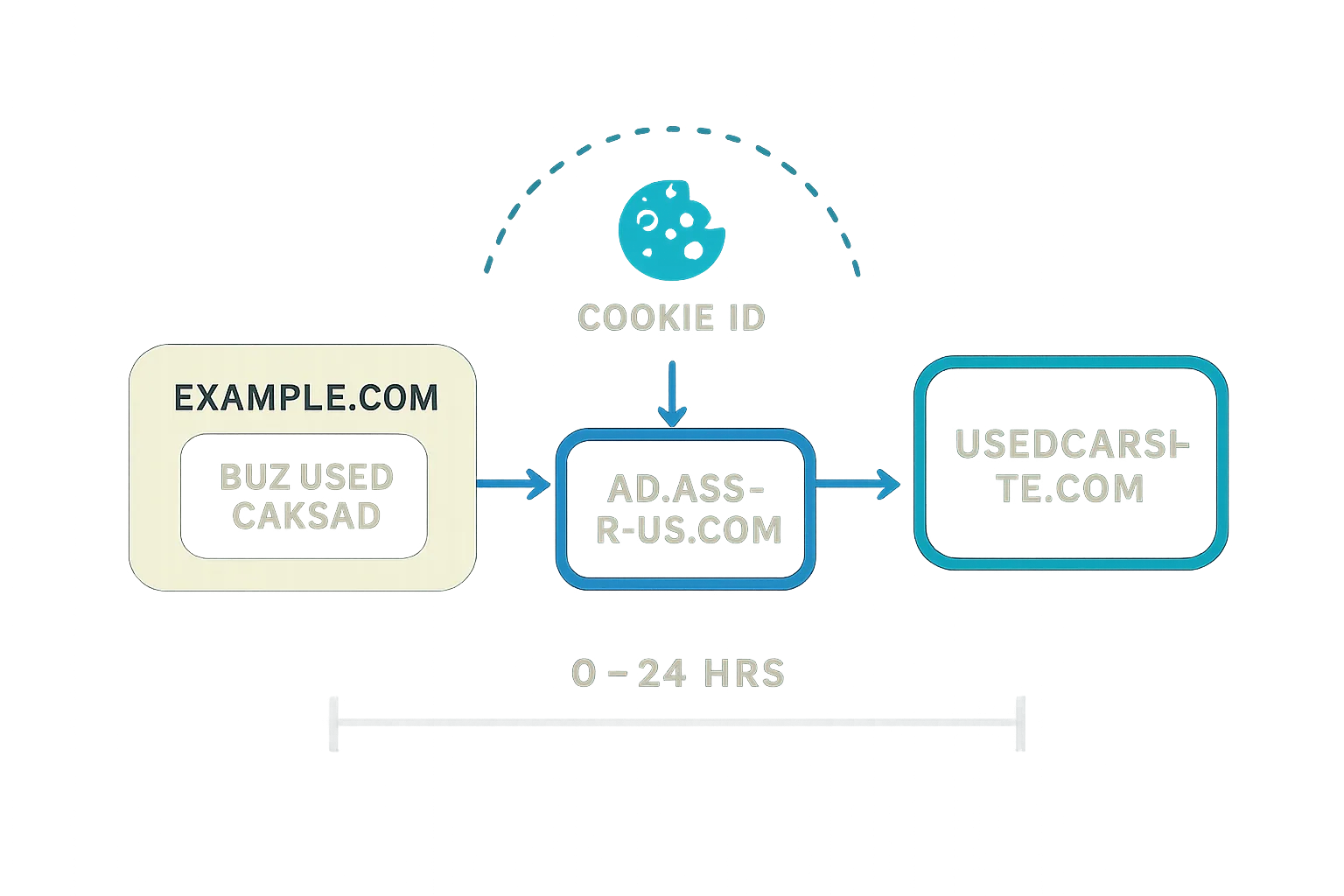
In practice, this grace period rarely applied to typical AdTech platforms, since users almost never visit domains like ads-r-us.com directly. The exception was walled-garden properties: users regularly visit Facebook directly, or use Google services like mail.google.com, which meant those companies had a higher probability of keeping their tracking cookies active under ITP 1.0/1.1.
Scenario 2: 24 Hours to 30 Days After Clicking the Ad
If the user does not visit ads-r-us.com within 24 hours, the first-party cookie from that domain can no longer be used in a third-party context — it can't be read for retargeting. The cookie still exists and can function in a purely first-party context (for example, to maintain a single sign-on session), but cross-site use is blocked.
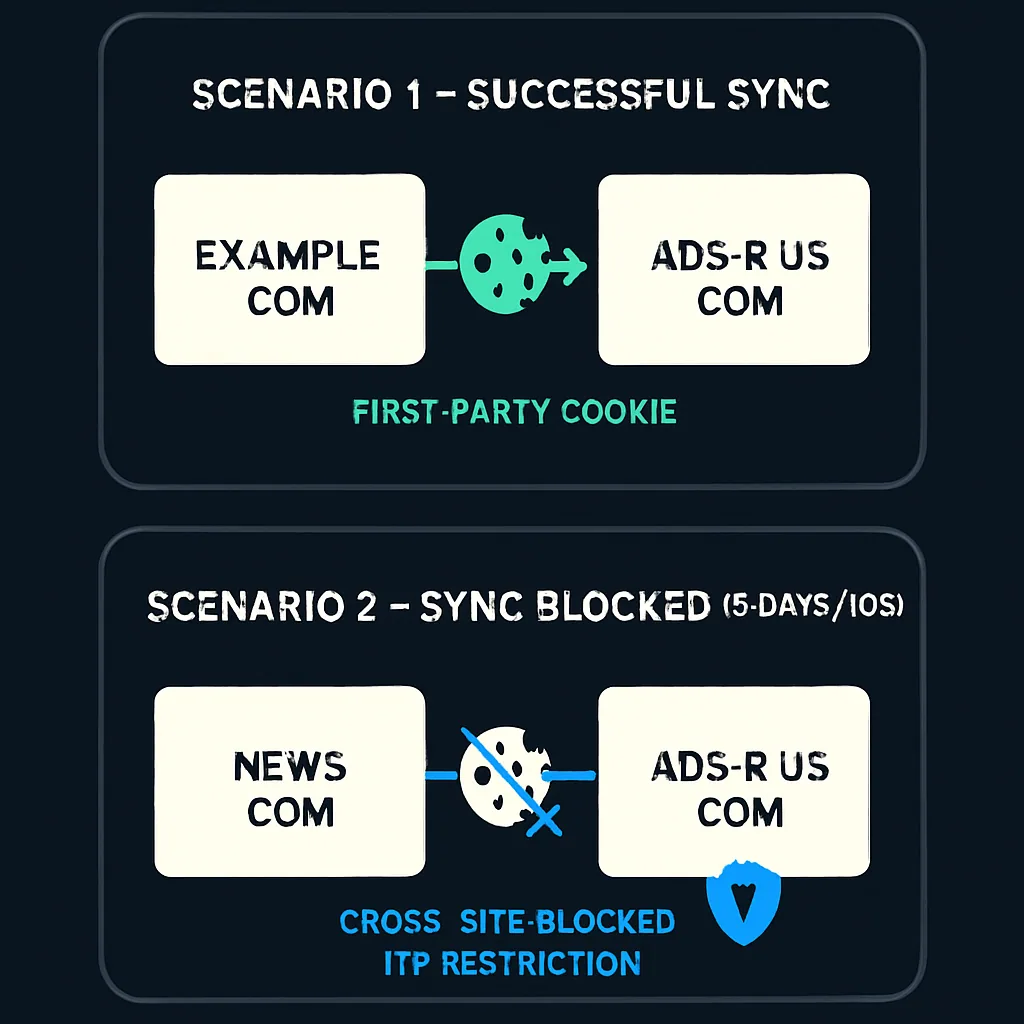
Scenario 3: 30 Days After Clicking the Ad
If the user has had no interaction with ads-r-us.com within 30 days, all cookies from that domain are purged entirely.
ITP 1.1 Refinements
ITP 1.1 adjusted behaviour to reduce disruption to legitimate embedded third-party services — things like embedded video players and social login widgets. ITP 1.0 had inadvertently broken these use cases by requiring users to visit service domains in a first-party context before any embedded widget would work. ITP 1.1 restored more fluid behaviour for those scenarios while keeping the tracking restrictions in place.
Workarounds That Emerged for ITP 1.0 and 1.1
Once ITP 1.0 and 1.1 were in the wild, some publishers — acting on guidance from their AdTech partners — implemented a workaround: adding a unique query string parameter (sometimes called a retargeting script) to internal URLs on their pages. When a user clicked an internal link, they were briefly redirected through the AdTech vendor's domain before reaching the destination URL.
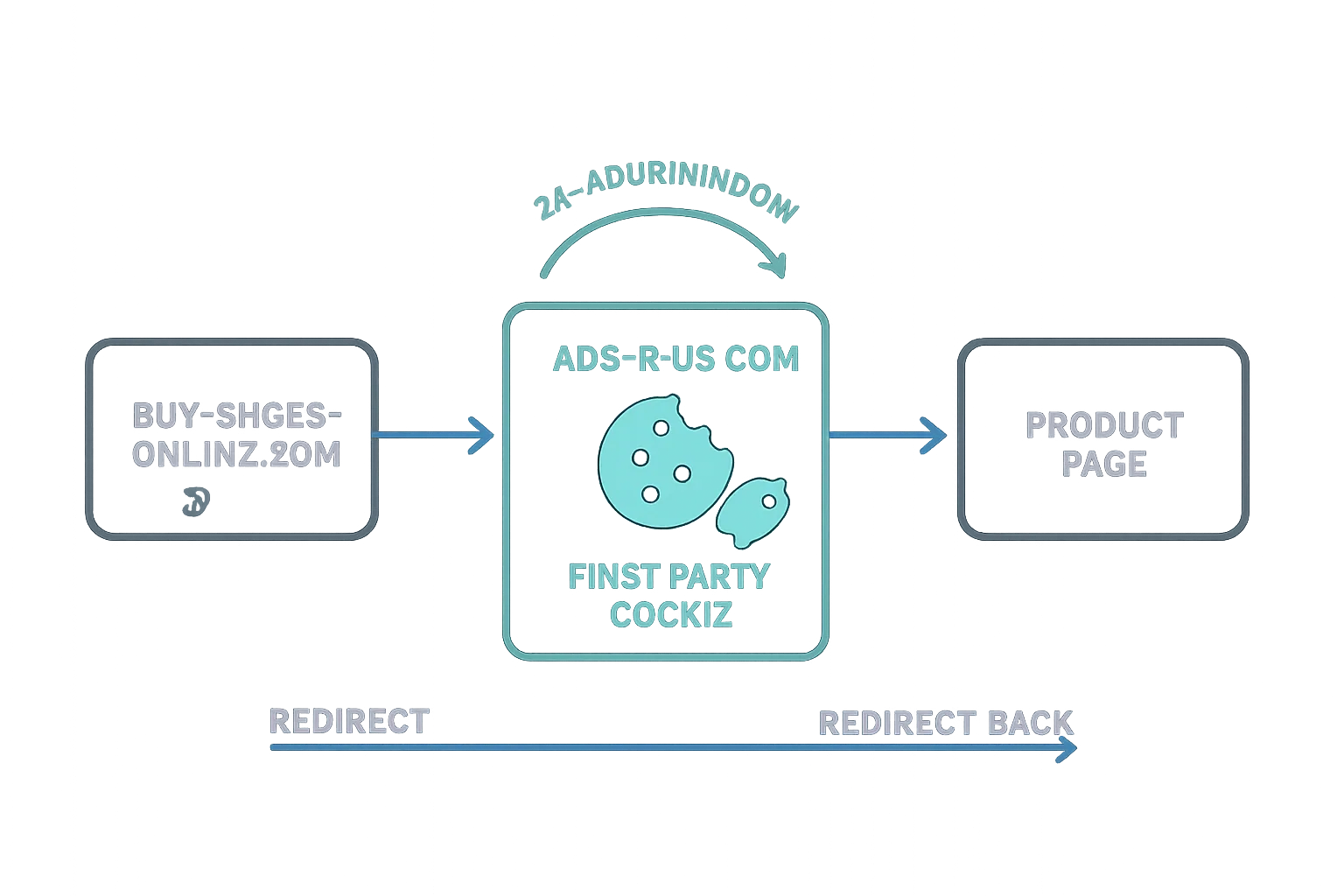
This effectively manufactured "direct visits" to the tracker domain on a continuous basis, keeping the 24-hour window perpetually reset and preventing the 30-day cookie purge from ever triggering. A detailed early investigation into this technique is documented in this post from pxlnv.com.
ITP 2.0 eliminated this approach entirely by removing the 24-hour window altogether.
ITP 2.0
Released in June 2018, ITP 2.0 introduced several significant changes that had a broader impact on reporting accuracy, affiliate marketing, and attribution than any previous version.
Removal of the 24-Hour Cookie Access Window
ITP 2.0 eliminated the 24-hour grace period. A domain classified as a tracker can no longer have its cookies read in a third-party context at all — there is no window of any length during which this is permitted. This broke the workaround described above and directly impacted any company relying on first-party cookies accessed cross-site for retargeting or attribution.
Storage Access API Prompts
To provide an alternative path for legitimate third-party embedded content (like Facebook's Like button or social login widgets), ITP 2.0 introduced user prompts tied to the Storage Access API.
Under ITP 1.1, embedded content from a recognized provider could access its own cookies without showing the user any prompt, provided certain conditions were met. ITP 2.0 changed this: if an embedded widget needs to access its cookies in a third-party context, it must request user permission via the Storage Access API.
consent box consent box

The prompt appears on every website containing the embedded widget. The exception: if the user has already granted permission on a parent domain (e.g., example.com), they won't be prompted again on subdomains like video.example.com. If the user doesn't interact with the service again within 30 days — either directly or via an embedded widget — their cookies are purged.
This change affected walled-garden platforms like Facebook and Google just as it did independent vendors, reducing the user experience on sites that embed social widgets.
Protection Against First-Party Bounce Trackers
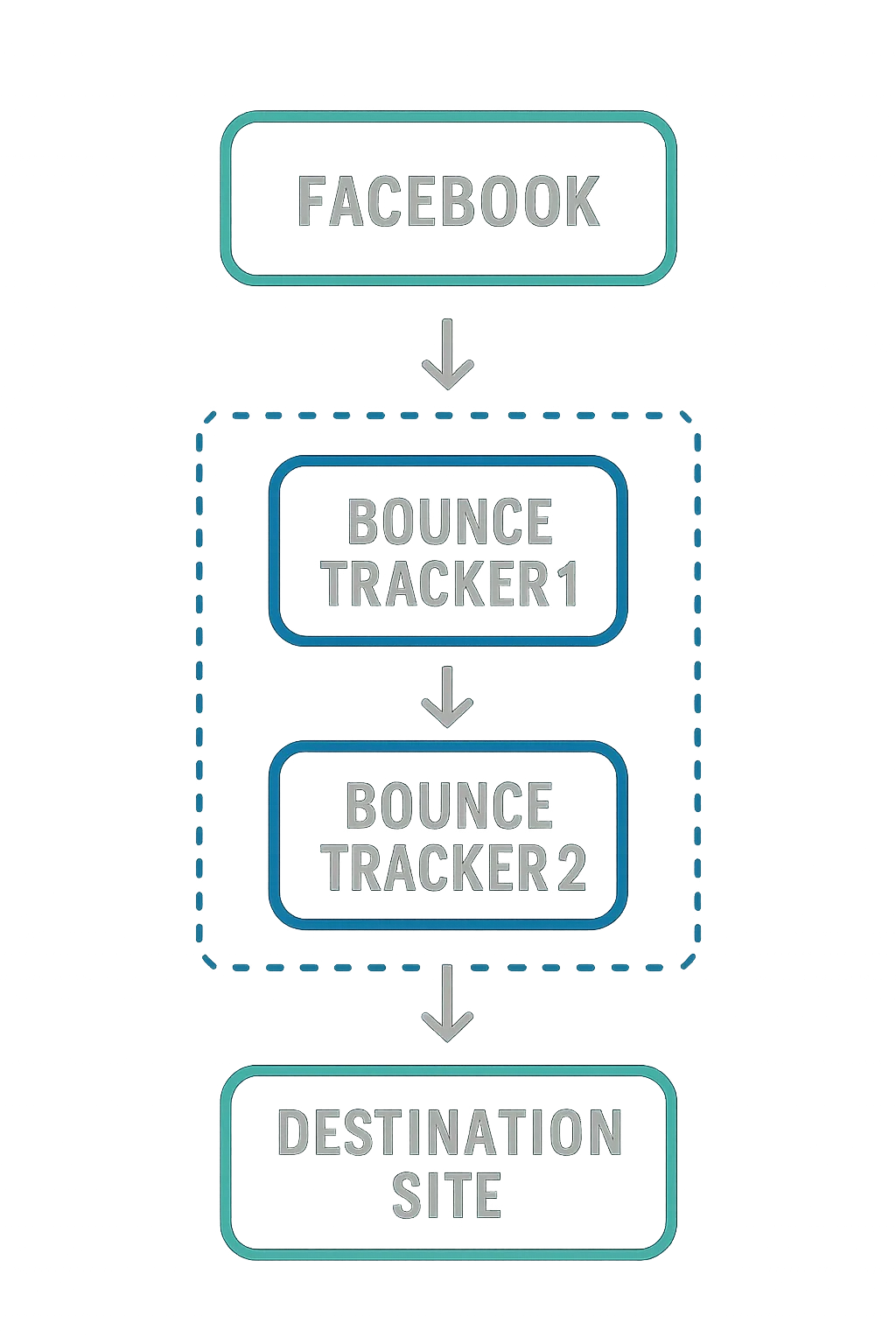
ITP 2.0 added detection for domains used exclusively as first-party bounce trackers — domains that never serve visible content but exist solely to chain together fast navigational redirects when a user clicks a link. These domains use the click-through to set first-party cookies or store data, then immediately redirect onward to the intended destination.
ITP 2.0 detects this pattern and treats those domains as trackers, applying the same cookie-purging rules.
Protection Against Tracker Collusion
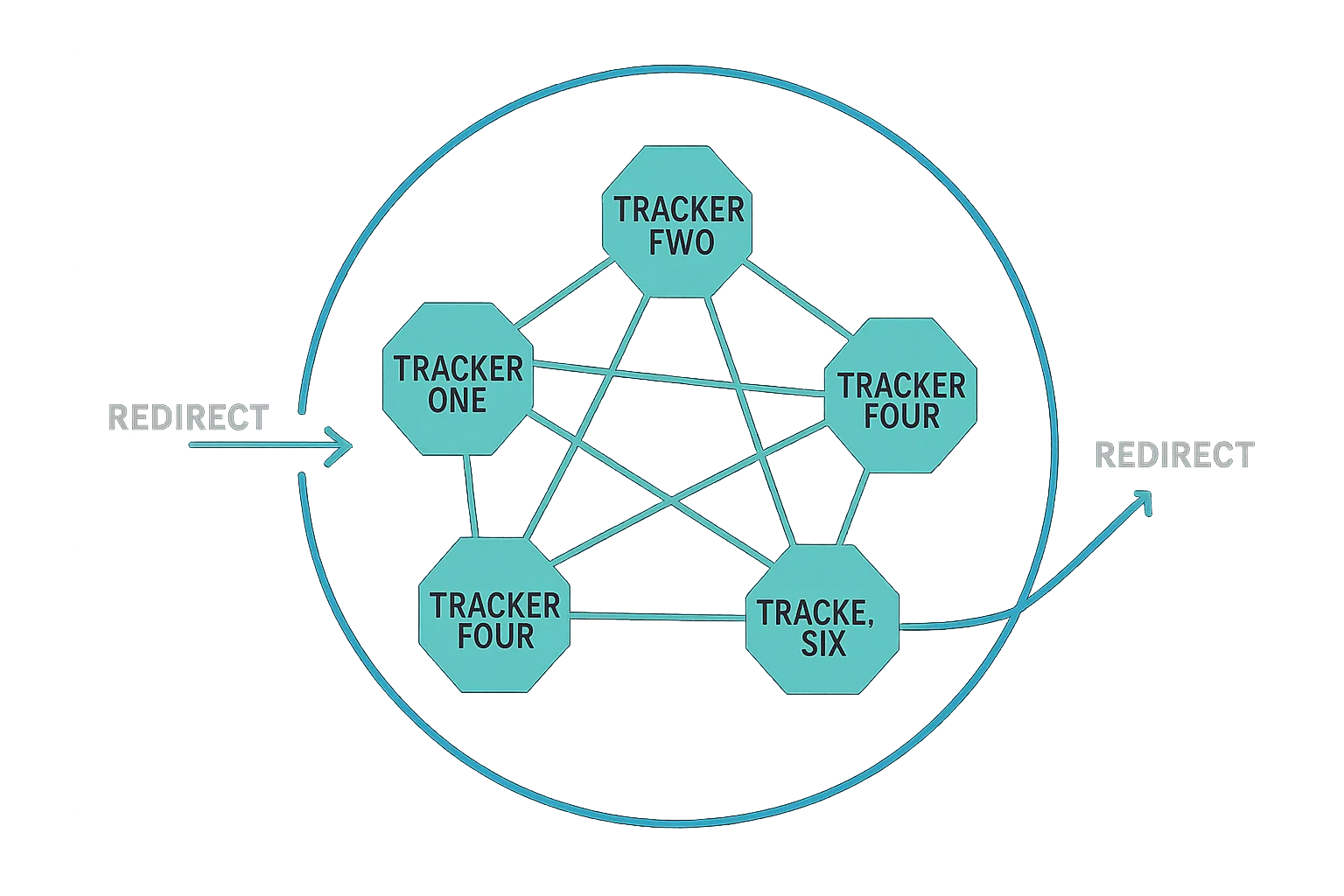
ITP 2.0 also targets tracker collusion — the practice of multiple tracker domains piggybacking on one another during redirect chains to share user data (a form of cookie syncing). WebKit implemented a collusion graph that maps relationships between domains during redirects. Any domain identified as participating in this kind of coordinated tracking is classified accordingly, and cookies cannot be dropped or read during those redirects.
This negatively affects affiliate marketing networks and inter-platform data sharing.
Origin-Only Referrer Stripping
When a user visits a site containing third-party trackers, the browser normally passes the full referring URL to those trackers — including path and query parameters. ITP 2.0 strips that referrer down to the origin (domain) only when it is passed to a classified tracker domain.
Before ITP 2.0: https://ecommercestore.com/clothes/mens/business/shoes
After ITP 2.0: https://ecommercestore.com/
This reduces the contextual information available to trackers. It does not affect data passed directly in a URL when a user clicks an ad and is navigated to an advertiser's site.
Solutions and Workarounds for ITP 2.0
The primary mitigation available to AdTech vendors is server-to-server conversion and event tracking, which bypasses client-side cookie mechanisms entirely. On the platform side, Google released a site-wide tagging approach to help advertisers continue measuring conversions, and Facebook introduced a first-party cookie option for its pixel.
ITP 2.1
On February 21, 2019, Apple published a blog post announcing ITP 2.1, available in the beta releases of iOS 12.2 and Safari 12.1 on macOS High Sierra and Mojave.
7-Day Expiration for Client-Side JavaScript Cookies
Cookies can be set in two ways: via server-side HTTP responses, or via JavaScript's Document.cookie API (client-side). ITP 2.1 imposes a 7-day expiration on any cookie created via Document.cookie, regardless of the expiry date the script originally specified.
Cookies set via HTTP server responses are not subject to this limit unless they are subsequently updated client-side.
This change has a direct impact on tools like Google Analytics, whose tracking cookies are set by a JavaScript library. GA cookies in Safari will expire after seven days unless they are refreshed within that window or an alternative implementation is used.
Cookies set client-side can still access cookies created via HTTP responses, provided those HTTP cookies do not carry an HttpOnly attribute.
Storage Access API Required for All Cookie Access
ITP 2.0 allowed some cross-domain cookies to be partitioned rather than blocked entirely, which meant they could still function for things like social login forms — just without the tracking capability. If a service wanted to access those partitioned cookies for tracking, it needed to go through the Storage Access API.
ITP 2.1 removed the partitioned-cookie option. Any domain classified as having tracking capabilities must use the Storage Access API to access any cookie — not just to track. For example, logging into a website via a Facebook account now requires the user to consent through the Storage Access API first.
Removal of Do Not Track (DNT) Support
ITP 2.1 also removed Apple's support for the Do Not Track signal. The rationale was straightforward: the majority of websites and vendors chose not to honour DNT settings, making the signal ineffective. Given that ITP itself provides substantially stronger privacy protection than DNT, removing the signal has minimal practical impact on Safari users' privacy.
Verified Partitioned Cache
ITP 2.1 added a mechanism to counter partitioned-cache abuse, a workaround some trackers had implemented against earlier ITP versions. When a classified tracker domain creates a partitioned-cache entry, it is flagged for verification. If a cache hit occurs for that entry after seven days, the resource is fetched again. If the new response matches the cached one, the entry is cleared. If the responses differ, the original entry is discarded and the verification process restarts with the new entry.
ITP 2.2
On April 24, 2019, WebKit announced ITP 2.2, released with the beta versions of iOS 12.3 and Safari on macOS Mojave 10.14.5 — just two months after ITP 2.1.
1-Day Expiration for Cookies Set Via Link Decoration
ITP 2.2 targets link decoration — the practice of appending tracking parameters to URLs to attribute clicks, visits, and conversions across domains using first-party cookies.
A basic link decoration example:
https://www.example.com?utm_source=googleads&utm_medium=cpc&utm_campaign=summer-promotion
The query string (everything after ?) carries attribution parameters. Another form uses fragment identifiers introduced by #. Used this way, link decoration is a standard analytics tool that identifies traffic sources without necessarily identifying the individual user.
However, link decoration can also be used to pass a unique user ID:
https://www.example.com?clickID=akl872
Here, a user clicked an ad or affiliate link and was navigated to example.com. A JavaScript tag on the destination page reads the clickID parameter and creates a first-party cookie. On the user's next visit, that cookie is recognized, enabling conversion tracking. This is how platforms including Google and Facebook measure conversions — and it is what ITP 2.2 restricts.
Under ITP 2.2, persistent cookies created via document.cookie are set to expire in 24 hours if both of the following conditions are met:
- The referring domain has been classified as having cross-site tracking capabilities.
- The destination URL contains a query string or fragment identifier.
If only one condition applies — for example, a URL has a query string but the referrer isn't classified as a tracker — first-party cookies created by document.cookie fall back to the ITP 2.1 limit of 7 days.
The practical effect: collecting a page visit or click from a campaign is generally fine, as that data is captured on arrival. Conversion tracking and multi-touch attribution suffer when the conversion happens more than 24 hours after the initial click.
ITP 2.3
On September 23, 2019, WebKit released ITP 2.3.
localStorage Expiry for Link-Decorated Visits
Following ITP 2.2's restriction on cookies created via link decoration, some AdTech and MarTech platforms shifted to using the browser's localStorage instead of cookies to store tracking data like click IDs. Unlike cookies, localStorage entries don't have a native expiry mechanism, which made this a useful workaround.
ITP 2.3 closed that gap. It now applies a 7-day expiry to all non-cookie storage — including localStorage — when the conditions from ITP 2.2 are met (classified tracker referrer with a decorated URL).
A few notes on this change:
- If the user interacts with the website again within seven days, the expiry resets, allowing the data to persist for another seven days.
- The 7-day limit on
localStorageis less restrictive than the 1-day limit applied to first-party cookies in the same scenario, but it is still a meaningful constraint. - Future ITP versions could tighten this to 1 day, so platforms relying on
localStorageas a long-term workaround should not consider it a permanent solution.
Changes to document.referrer
ITP 2.3 also addressed another workaround: some platforms were decorating their own outbound URLs rather than the destination URL, and then reading the tracking ID via document.referrer on the destination page.
For example, a source page might produce a referrer like:
https://sub.social.example/some/path/?clickID=0123456789
Under ITP 2.3, when a destination page requests document.referrer for a classified tracker domain, only the top-level domain is returned — social.example — not the full path or query parameters.
Additional changes in ITP 2.3 include:
- Updates to the Storage Access API behaviour.
- An ITP debug mode for macOS Catalina.
- A recommendation to use
HttpOnlycookies for security-sensitive values (noting thatHttpOnlycookies cannot be read by JavaScript).
ITP 2.3 shipped with Safari on iOS 13, iPadOS (beta), and Safari 13 on macOS Catalina, Mojave, and High Sierra.
Across all versions, ITP represents a systematic effort to close one browser privacy gap at a time. Each release has responded to the workarounds that AdTech and MarTech vendors developed in response to the previous one. The pattern — restriction, workaround, tighter restriction — is unlikely to end, and any tracking architecture that depends on client-side cookie storage in Safari should be built with the assumption that the rules will continue to tighten. Server-side tracking and consent-based first-party data collection remain the most durable approaches for operating within Safari's constraints.